How to Cycle Count Inventory in a Small Shop
Cycle counting helps small shops check stock in short rounds. Learn to count ten items, investigate mismatches, and update records with a repeatable routine.
By Ultimate Inventory Tracker by Cosmo Suite · Editorial policy
Published · 8 min read
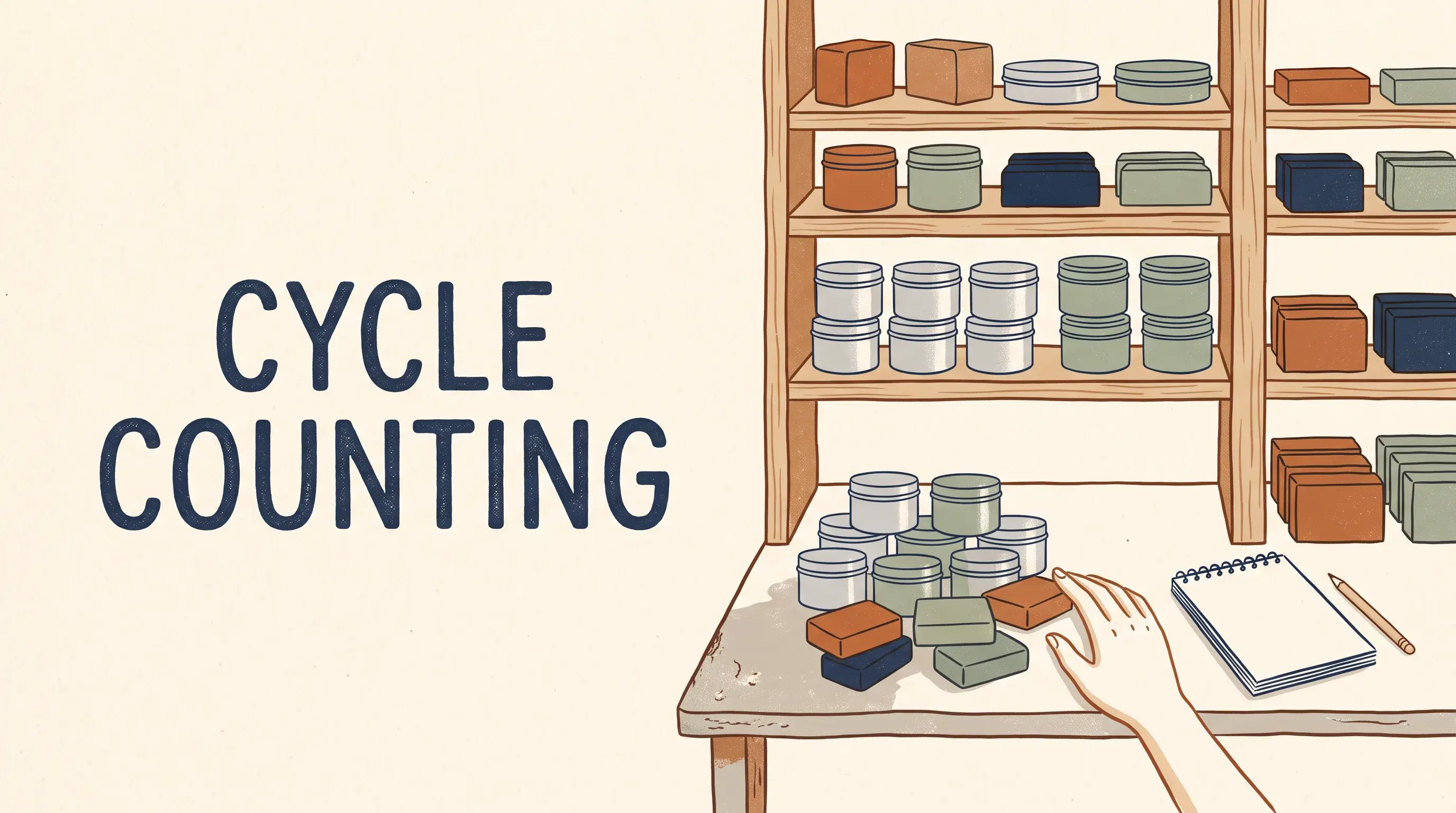
Cycle counting is a way to check a small group of stock items on a repeating schedule. You compare what you can see with what your record says, then investigate any difference before changing the record.
That gives a one-person shop a smaller job to finish. A mismatch can point to a sale, purchase, move, breakage, or entry that needs checking. A spreadsheet stock tracker can hold the quantity you compare with each shelf.
If you want to start with a clean form, this guide to an inventory count sheet shows the item, unit, place, quantity, and date fields to record.
Cycle Counting: A Simple Daily Formula
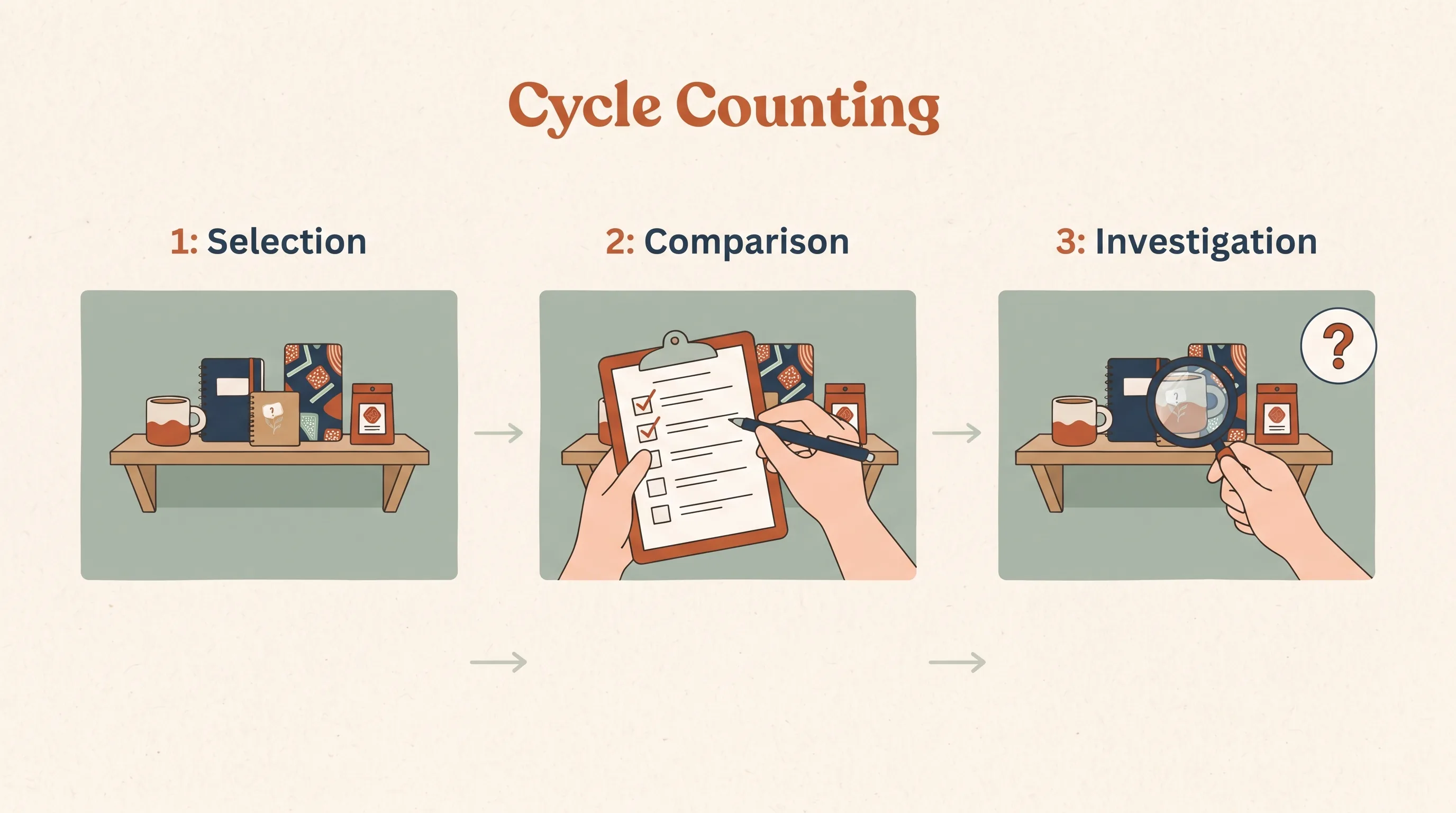
Cycle counting is a routine for checking stock in small groups over time. A cycle count checks one selected group on a date; a full count checks everything in scope. A mismatch is a difference between the record and the counted quantity.
Choose a small group, count it, compare it with the record, and investigate differences before making an adjustment. The count records what you can see on that date; it cannot explain why the shelf and record disagree.
In Short
- Pick a manageable group of stock items.
- Count one item and place at a time.
- Compare your count with the current record.
- Check differences before updating anything.
- Repeat with another group on a schedule you can keep.
A number in the sheet is useful only when it refers to the right item, unit, and place. A count of six bars is different from six boxes, and six in the market crate is different from six in the stockroom. Shopify UK describes the same rotating check as reviewing different products on a daily, weekly, or monthly schedule.
Shopify UK describes cycle counting as checking different products on a rotating schedule, such as daily, weekly, or monthly. Keep the schedule simple and record the stock location and date each time.
What a Cycle Count Looks Like in a Small Shop
A cycle count covers a selected part of your list instead of checking every item at once. You can choose a group by product type, shelf, place, or recent movement, then work through the group without stopping to recount stock that is not part of today’s check.
For a small shop, make the selection easy to find. You might count all candle tins on one shelf, the finished pieces set aside for a market, or a short list of items that moved since your last check. Keep supplies separate from finished products if they use different units.
A useful count line has five parts:
| Field | What to write |
|---|---|
| Item | The product or supply you can identify on the shelf |
| Unit | The way you count it, such as each, pack, or ounce |
| Place | Where the counted stock is kept |
| Counted quantity | What you can physically see |
| Date | When you made the count |
Cycle Counting: What to Do When
The next step depends on whether your count agrees with the record. A match lets you move to the next item. A mismatch needs a short check before you change the number. If the item or unit is unclear, pause and identify it before treating the count as complete.
| What you find | Next step | Why |
|---|---|---|
| Count matches the record | Mark the item checked and move on | The record agrees with this dated count |
| Count differs | Check recent movement, then recount if needed | A sale, purchase, transfer, breakage, or entry may explain it |
| Item or unit is unclear | Confirm the label and unit before counting | A wrong match can create a new error |
A mismatch gives you a place to look, but it does not identify what happened. Keep the original record until you understand whether the difference came from a movement that was not entered or a count that needs another look.
A Ten-Item Check, Worked Through
A one-person shop can begin by counting ten items a day. Choose ten lines that are easy to identify, write the date beside the count, and compare each quantity with the record. The next day, take another ten-item group and keep the same steps.
You do not need to create a complicated scoring system. A plain list is enough to show which items you checked and where a question remains. If an item has a different count, flag it for a closer look rather than changing its quantity while you are still counting the rest.
Before you begin, decide what one line means. If a finished candle comes in several sizes or scents, count each version separately when your stock record lists them separately. If the same item sits in two places, keep one count for each place. That gives you a comparison that matches the way you already record stock.
Keep today’s group together until you finish comparing it. A sale or transfer during the count can change what you see. Record that movement first, then compare the updated record with the shelf. If you cannot pause movement, note what changed and check that item again after the activity is recorded.
For example, a seller can separate the daily list into three columns: item, place, and checked date. Add a count and a note only when something needs attention. This keeps the routine short while leaving a trail for the follow-up.
If your list has fewer than ten items left in the current group, count the remaining lines and start a fresh group the next day. If your stock list is much larger, keep the daily group small enough that you can finish it carefully. The count is useful when the rhythm survives a busy week.
Choose Which Items to Count First
Choose items that give you a clear reason to look. Recent movement, a prior mismatch, or stock that has moved between places can make an item a sensible choice for today’s count. You can also work down one shelf or category when you want a selection that is easy to repeat.
Write the rule beside your list. For example, “count this shelf from left to right” is easier to follow than choosing whatever catches your eye. A consistent order helps you see what has been checked and what remains.
When the shop is busy, protect the count from new movement for a moment. Finish recording a sale, purchase, or transfer before comparing the shelf with the number on the sheet. If stock moves during the count, note it so you can account for it.
A repeatable rule should fit the shop you have. A one-person seller may use a shelf or product group. A shop with several places may separate its count list by place so the same item does not get counted twice or missed.
When the Count Does Not Match
When a count differs from the record, verify the item, unit, and place before you investigate the quantity. Then check entries made since the last count, including sales, purchases, transfers, and adjustments. If the cause is still unclear, recount the item before changing the record.
Treat the mismatch as a question to investigate. Did the item move to another place? Was a sale entered for the wrong unit? Did a purchase arrive in part? Was something damaged, used as a sample, or given away? Check the likely entry before recording a correction.
If the second count agrees with the first, keep that result and record a correction with the date and a plain reason. If it does not, leave a note and check again when you can identify the item or movement. Do not make the record match a guess.
Look for the last point where the quantity was known. A purchase may still be on order instead of received. A transfer may have left one place but not reached the other. A sale may have been entered under a different size or unit. Check these possibilities before deciding what caused the difference.
Once you know the cause, update only the affected item and place. Keep the note specific enough to understand later, such as a count correction or a damaged item. A short reason helps you notice whether the same kind of mismatch keeps returning.
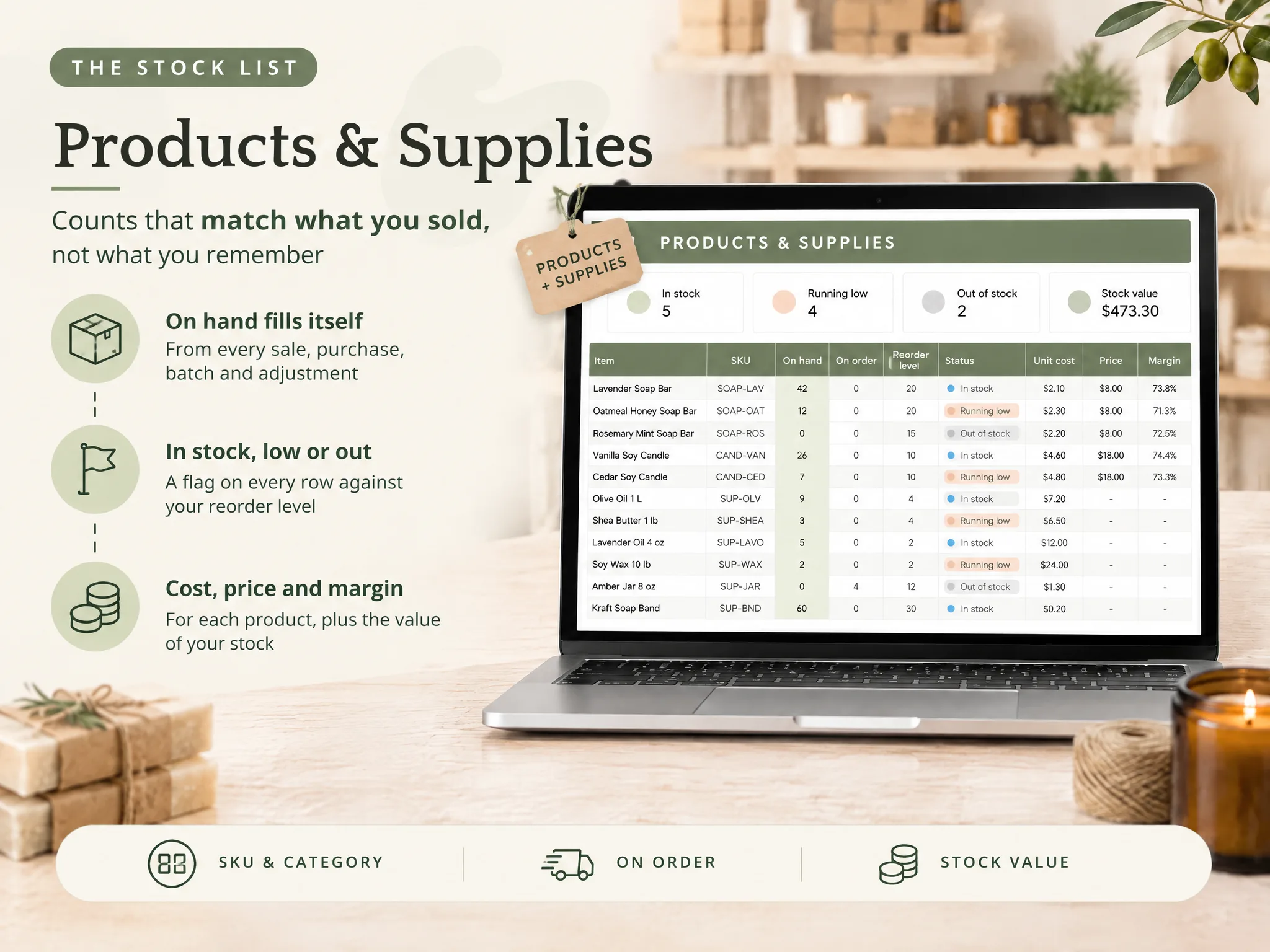
A spreadsheet inventory tracker can keep an adjustment alongside sales, purchases, and transfers. That gives you a place to record the confirmed change and its reason after the count is finished.
What the Routine Can and Cannot Tell You
A cycle count records what was present in the selected group at the time of the check. It leaves unchecked items unverified, and it cannot explain a difference on its own or guarantee that every stock record is correct. Keep the count date and place with the result so you know what the check covers.
If you need a complete view, plan a full count of everything in scope. Use cycle counts between those checks to look at selected items and follow up on differences while the details are still easy to trace.
A stock count also is not the same as choosing an accounting method or preparing tax figures. The IRS instructions for Schedule C include inventory and accounting requirements. Check the rules that apply to your business with a qualified tax professional before using a stock count for tax reporting.
How the Ultimate Inventory Tracker Fits the Routine
The Ultimate Inventory Tracker (by Cosmo Suite: one Google Sheets and Excel file, 12 tabs, $9 once) can hold item details and record sales, purchases, adjustments, transfers, and batches. Its stock views update from the entries you log. It can give you one record to compare with a count you make by hand.
Cosmo Suite makes the file. The About page names the publisher, and the editorial policy explains how product facts and sources are checked.
Use the file after the physical check. You still identify the item, unit, and place, then enter the confirmed adjustment and its reason. The file has no online shop or till connection and does not scan barcodes. If you sell in more than one place, you log or paste each sale.
A ready-made stock tracker in Google Sheets and Excel gives you those connected tabs in a file you can use for your own stock list. It supports the recordkeeping part of the routine; the shelf count remains yours.
Frequently asked questions
What is cycle counting?
Cycle counting is a routine for checking a small portion of your stock at a time. You count selected items, compare the physical quantities with your records, investigate differences, and repeat with another group on a schedule.
How many items should I cycle count each day?
Start with a number you can count carefully and repeat. For a one-person shop, a ten-item daily check is one workable starting point from this guide. Adjust the group size to fit your stock and the time you have.
How often should a small business do cycle counts?
There is no one schedule for every shop. Choose a repeatable rhythm that fits how much stock moves and how much time you have. Count items more often when a mismatch or recent movement gives you a reason to check them.
What should I do when a cycle count does not match my records?
Check the item name, unit, and place first. Review recent sales, purchases, transfers, or adjustments, then recount if the cause is still unclear. Change the record only after you confirm the quantity and the reason.
Is cycle counting the same as a full inventory count?
No. A cycle count checks a selected group of items. A full count checks everything in scope at one time. Cycle counts can help you spot differences between full counts, but they do not prove that every uncounted item is correct.
Can a spreadsheet do cycle counts automatically?
A spreadsheet can organize the item list and record a count, but someone still has to look at the stock and enter what they find. The Ultimate Inventory Tracker updates its stock views from entries you log; it does not connect to an online shop or till or scan barcodes.
