How to Track Inventory for a Small Business Without Updating Stock by Hand
Small business inventory management for a two-person shop: six record fields, a 15-minute weekly check, a monthly count, and the double entry to stop.
By Ultimate Inventory Tracker by Cosmo Suite · Editorial policy
Published · 10 min read
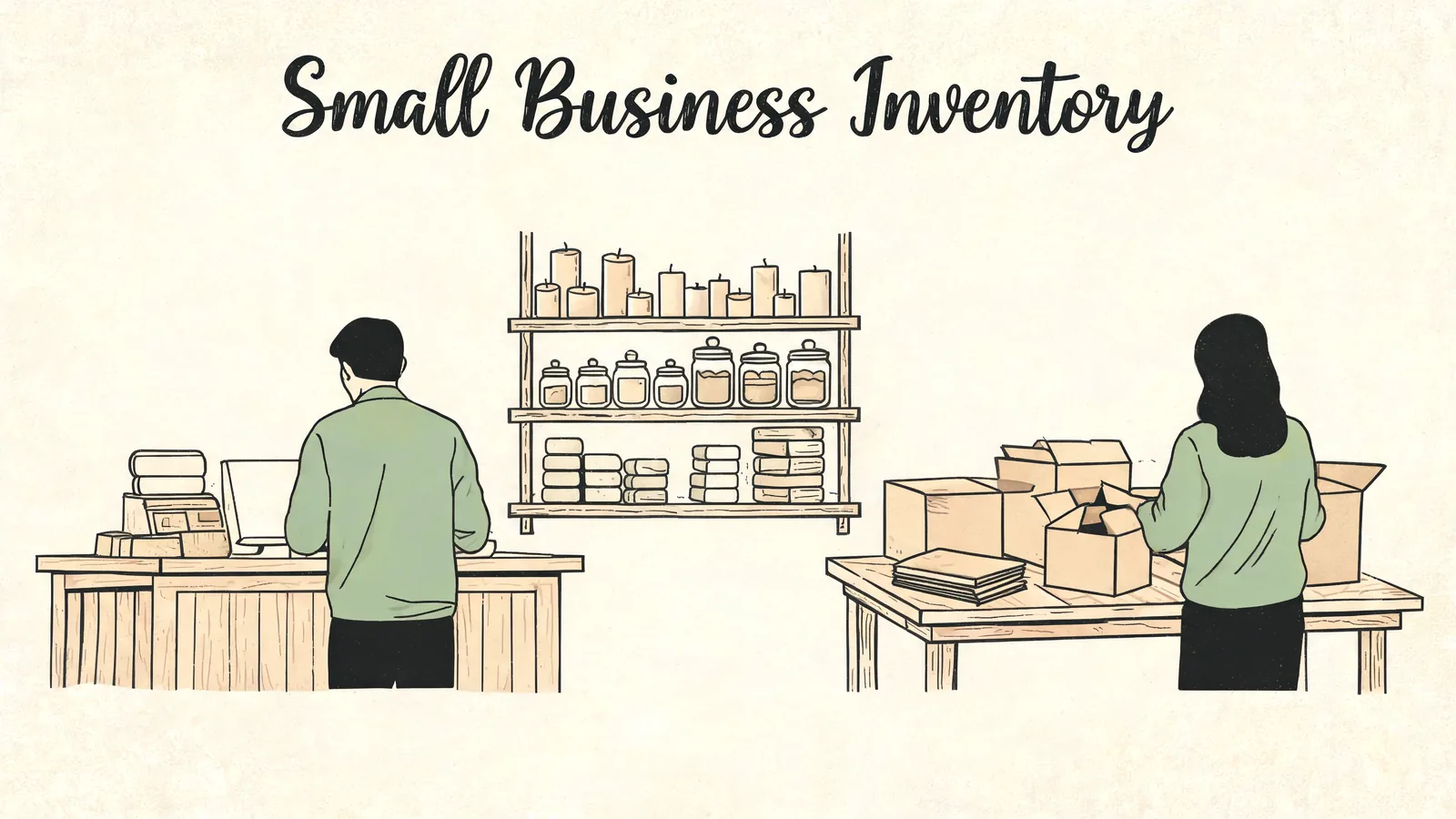
Two people run a shop with 80 products. One serves the counter, the other packs online orders from the same back room. By Friday the candles on the shelf no longer match the number in the sheet. Nobody can say which of the week's 50 sales caused it.
The short answer: small business inventory management is one record, six fields, and a routine short enough to keep. Write each sale, purchase, transfer and correction as a single row. Check a few items every week. Count the whole list once a month. A file built for that routine does more of the arithmetic than a plain list. The routine still does the work.
In Short
- One record, six fields, and every movement written once.
- A 15-minute check each week beats a four-hour count each quarter.
- A monthly count closes in one sitting when the record is current.
- Most drift comes from the same sale being typed in two places.
This post works through a made-up shop with 80 products, a counter and an online store. The figures are examples, not a customer result.
The Small Business Inventory Record: Six Fields
A small business inventory record needs six fields: item, place, quantity, the date last counted, the movement, and who entered it. Everything else on your screen is a view of those six. When they are right, the monthly count takes an evening instead of a weekend.
A movement is any event that changes how many units you hold: a sale, a purchase, a transfer between places, or an adjustment. A count is the number you read off the shelf at one moment, with the date attached. A reorder level is the quantity at which you place the next order, set from your own sales rate and the supplier's lead time.
| Field | What goes in it | Why it earns its place |
|---|---|---|
| Item | Name and variant, such as oat soap bar, 4 oz | Two similar names get merged without it |
| Place | Counter, online orders, or market box | You can see where the units actually sit |
| Quantity | A count taken at a stated time | A number with no count date is a guess |
| Counted on | The day you last confirmed it | Shows how far the record has drifted |
| Movement | Sale, purchase, transfer, or adjustment | The next count has an explanation ready |
| Who and why | One name and a short reason | A correction can be traced later |
Most shops already keep the first three. The last three are what make the record useful a month later. A quantity with no date could be a week old. A movement with no reason cannot be checked by anyone, including you.
The word has a formal definition too. The IRS says an inventory is necessary to clearly show income when buying, making or selling goods is an income-producing factor, in Publication 538, revised January 2022. How you value that stock for tax is a separate question from how you count it here; read the IRS page or ask your accountant, and treat the rest of this post as general information, not tax or accounting advice.
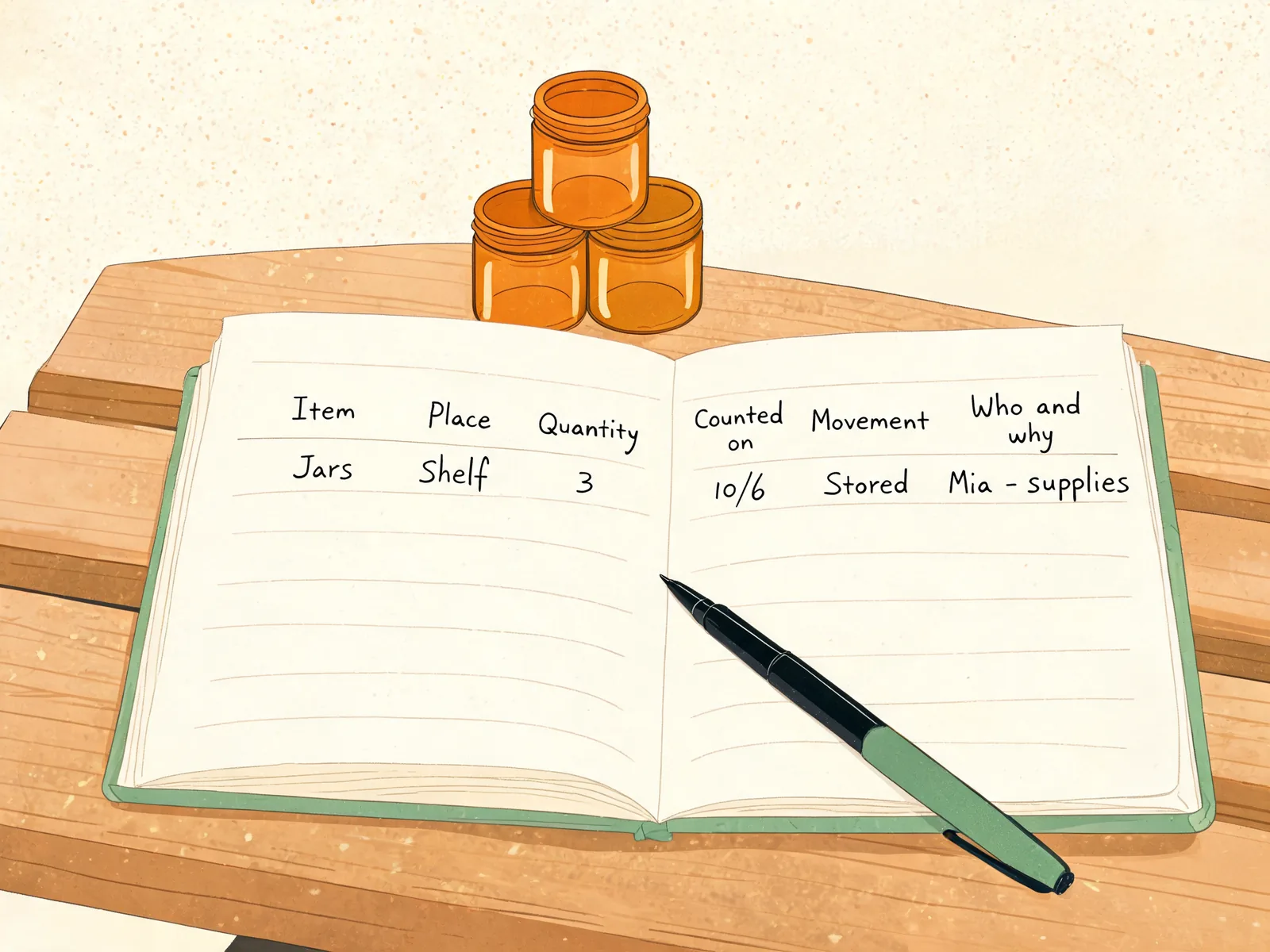
Sortly's guide to taking inventory for small business asks for the same information on a count sheet: product name, current price, identification details and quantity in stock. It also calls counting a regular, ongoing process rather than a once-a-year event, which is the reason for the weekly check below. Add the place and the date, and the sheet becomes something you can reconcile.
The Shop Month, Worked Through
Here is the month for the made-up shop, with its 80 products, the counter and the online store. In one month it logged 214 sale rows, 11 purchase rows, 6 transfers between the counter and the packing bench, and 4 adjustments. Three items did not match at the monthly count.
| Item | Counted | Record said | Difference | Cause found |
|---|---|---|---|---|
| Lavender candle | 14 | 16 | -2 | Two online orders packed Friday, logged Monday |
| Oat soap bar | 31 | 28 | +3 | A 12-bar batch was entered as 9 |
| Wax flakes, lb | 41 | 42 | -1 | Two batches drew 1.5 lb each, entered as 1 lb |
None of the three needed a recount of the shop. Each had one missing or wrong entry behind it, and each took a few minutes to find, because the record kept the movement, the place and the date. The other 77 products matched. That is what counting a current list buys you.
The soap bar is the interesting one. A batch of 12 came off the bench, and the person entering it typed 9, because the last three were still cooling. The record said 28. The shelf said 31. Nothing was lost. One number was typed a little early.

Small Business Inventory Management: What to Use When
Use a paper list under about 20 items in one place. Move to a file with a movement log once stock sits in two places, or once you make finished pieces from supplies. Choose a connected app when both sales channels must show the same quantity without anyone typing.
| Your setup | Better fit | Check before relying on it |
|---|---|---|
| Under 20 items, one place | A paper list or one sheet | How often you compare it with the shelf |
| 20 to 200 items, two or three places | A file with one row per movement | Whether a sale reduces the count by itself |
| Counter plus an online store | A file you update at close, or an app that connects | Whether both places share one quantity |
| Items you make from supplies | A file with recipes and batches | Whether a batch takes supplies off the shelf |
| Several helpers | Anything with a named owner per entry | How corrections and returns are recorded |
The third row deserves a plain warning. A spreadsheet does not talk to an online shop or a till. If the same last item is on the counter and listed online, someone has to reduce one of them by hand. An app that connects the two channels does that for you and charges for the connection.
One question from the search results deserves a plain answer here. The 80/20 rule in inventory means a small share of your items carries most of the value or most of the movement. Square's guide describes the same idea as ABC analysis, ranking products by yearly demand multiplied by unit cost, and controlling the A items most tightly. For a two-person shop, that usually means about a dozen lines get the weekly check and the rest get the monthly count.
The inventory spreadsheet template walkthrough covers the fields and the formulas for the second row. The decision comes down to two facts about your shop: how many places hold your stock, and how often those places disagree.
The Weekly 15-Minute Check
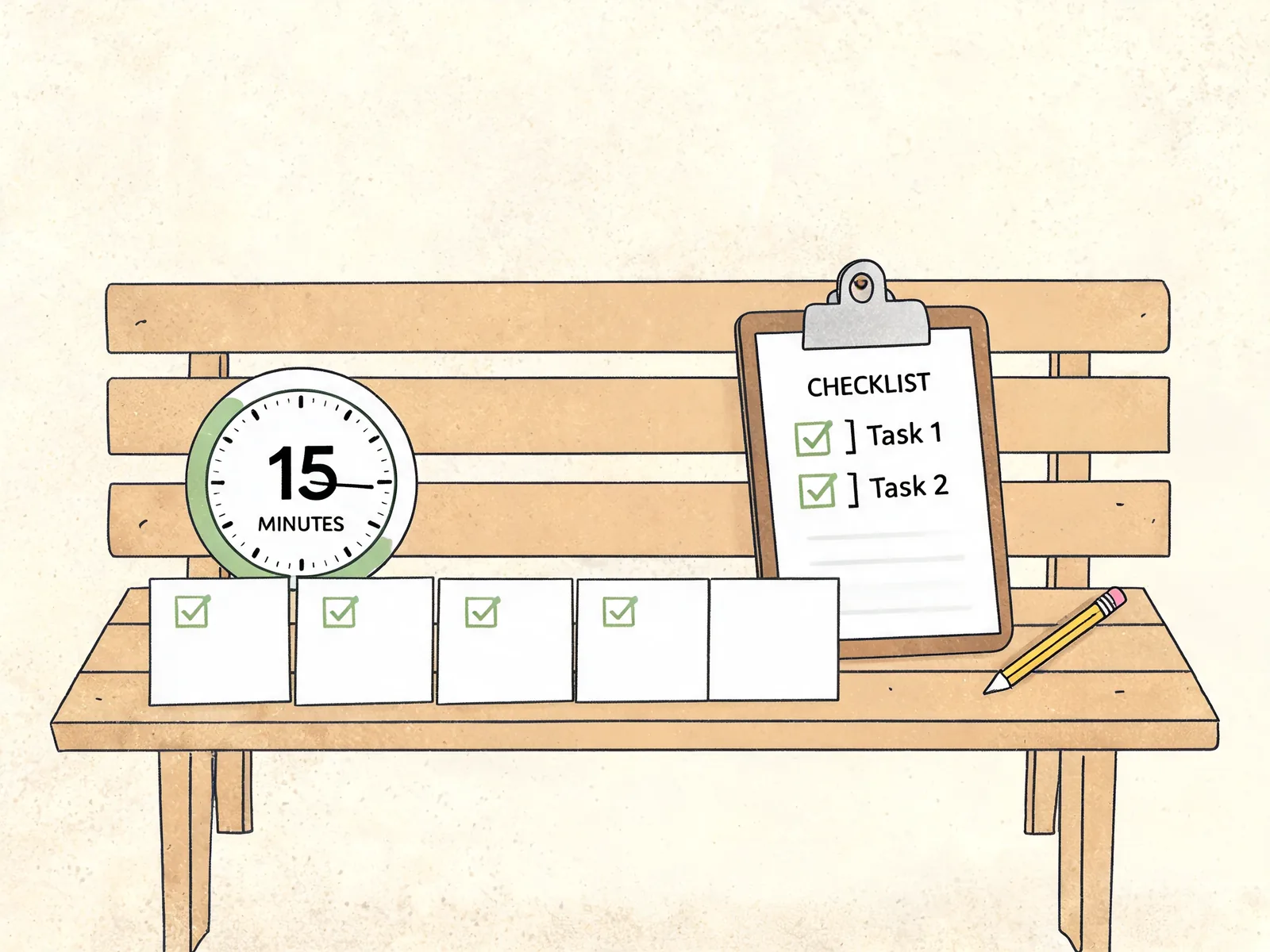
The weekly check takes about 15 minutes. Enter anything still unlogged, read the reorder list, then confirm a handful of items by hand. Do it at the same time each week, after the last sale of the day.
- Close the week's entries. Find every sale, purchase and transfer that did not reach the record. A market tally and a stack of packing slips are the usual gaps.
- Read the reorder list. Any item at or below its level goes on the order for this week. Order early enough for the supplier's lead time.
- Pick five items to confirm. Choose the fastest movers, the most expensive supplies, and anything that has run low twice.
- Compare each one with the shelf. If a number differs, note the item and the gap. Do not correct it yet.
- Trace the gap. Look at that item's rows since the last count. One missing entry explains most gaps.
- Correct with a reason. Enter the adjustment with the date and a short note, so next month's count starts from a known number.
The reorder level is your own decision, and a formula makes it repeatable. Square's small business inventory guide, published 3 November 2026, gives one: reorder point equals average daily unit sales times supplier lead time in days, plus safety stock. Its own example orders at 38 units from 4 units a day, 7 days of lead time and 10 units of safety stock.
For an amber jar that sells 2 a day, from a supplier who takes 7 days, with 10 held back as a buffer, that is 2 x 7 + 10 = 24 jars. When the count reaches 24, you order.
How much buffer to hold is your call. A shop that enters every sale the same day needs less of it than one that logs a market weekend on Monday.
The Monthly Count That Fits a Small Shop
A monthly count works when the record is current. Count the whole list, mark only the differences, and finish in one sitting. For 80 products in two places, that is about two hours for two people, or one long evening for one.
Count the shelf first and write the number down before you look at the record. That is a blind count: the person counting cannot see the expected figure, so the count cannot agree with the record out of habit. Then compare the two lists. For example, count the wax by weight and the jars by box, and write both on the sheet before you open the file.
For each difference, work through the movements since the last confirmed count: sales not entered, a purchase received in part, a transfer that only went one way, samples, breakage, and returns. Enter the correction with a reason. The Shopify Help Center's inventory adjustment page describes the same discipline for its own adjustment history: every adjustment is recorded, so you can review who changed a quantity, when, and why. A sheet needs you to write that down yourself, and the note is what makes the next count quick.
Keep the count sheet with the record. Next month, the first thing you do is read the three or four items that were wrong last time. If you would rather not count at all, hiring help is an option, but the person counting still needs the sheet and the rule for recording a difference, or you pay for a number nobody can trace.
Where Counts Drift: The Double Entry
Most guides skip the real cause of drift: the same sale typed more than once. One sale gets written on a till slip, again in the order sheet, and a third time in the stock count. Every copy is a chance to disagree.
A shop that oversells has often done nothing wrong except type the same sale twice, or once in the wrong place. Imagine one last candle on the counter and one listed online: if the counter sale is logged on Monday, the listing still shows one on Saturday. The guide to overselling with two sales places covers that failure in detail. The fix is structural: one row per movement, and every count, list and total read from those rows.
Two places make the job harder. They do not make it impossible. Give each place its own count and add a transfer row when stock moves. The total stays the same, and the counter and the packing bench each stay accurate. The sales and inventory spreadsheet shows the row layout for that.
Why Trust This Article
Ultimate Inventory Tracker is made by the Cosmo Suite team, which builds spreadsheet files for small sellers. The method behind this post was to take the practices from three published sources and reduce them to what one or two people can repeat in a week. The sources, each read on 21 November 2026: Square's small business inventory guide, published 3 November 2026; the Shopify Help Center's inventory adjustment pages; and Sortly's guide to taking inventory. The worked month is an example built for this post, not a customer's figures. Check any number against your own record before you act on it. Read About Us for company details, and the editorial policy explains how the site handles sources and corrections. For product questions, contact support@ultimateinventorytracker.site.
How the Ultimate Inventory Tracker Handles This
The Ultimate Inventory Tracker (by Cosmo Suite: one Google Sheets and Excel file, 12 tabs, $9 once) is built around the one-row-per-movement idea. Sales, Purchases, Adjustments and Transfers are separate tabs, and each entry updates the stock on hand, the Reorder List and the stock by place from that single row.
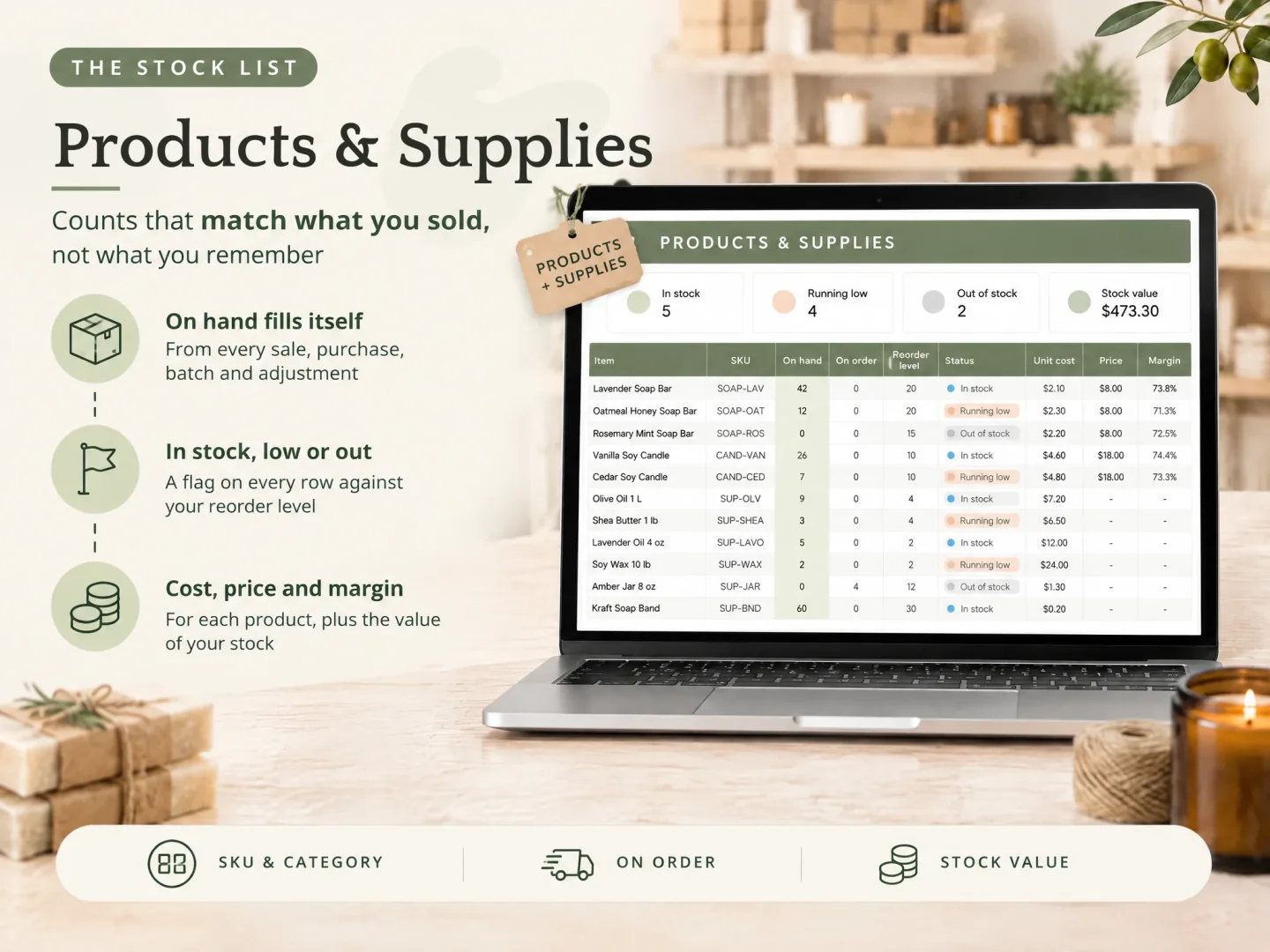
The Products and Supplies tab holds the item, unit, on hand, on order, reorder level and a status flag, so the weekly check has one place to read. The Sales tab fills in unit price and cost, takes the stock down at the place you name, and keeps the margin per line. Both formats come as a sample copy with a small maker's data and a clean copy for your own.
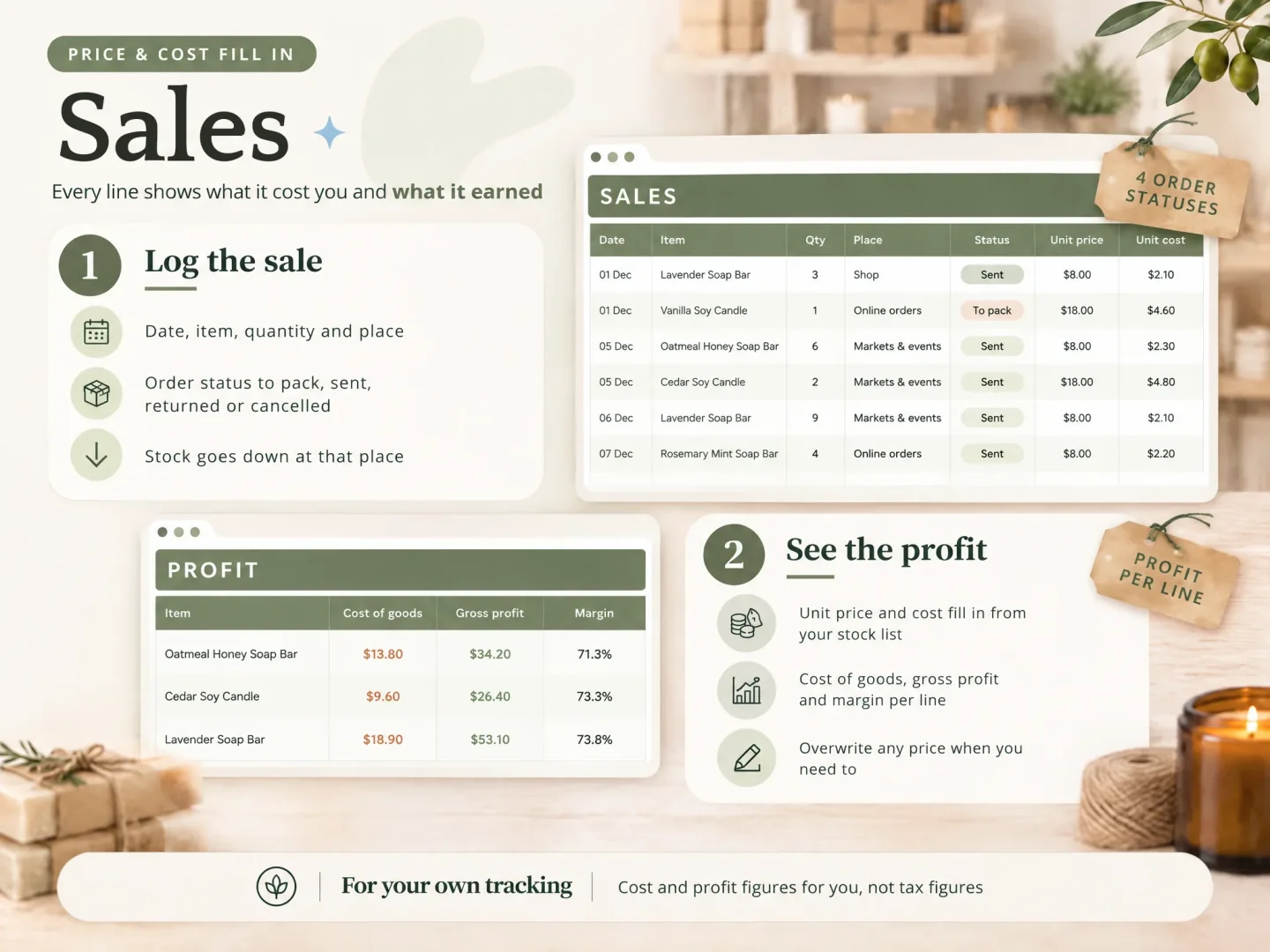
Two limits are worth stating before you buy. The file does not connect to an online shop or a till, and it does not scan barcodes. You log or paste each sale, which is the same entry the routine above asks for. Cost and profit figures are for your own tracking, not tax figures. It holds up to 1,000 products and supplies and up to 20 places, enough for most one to three person shops.
If two channels must share a quantity without anyone typing, choose an app that connects them. If you can enter each sale once, the Ultimate Inventory Tracker keeps the record, the reorder list and the place counts in one file you own.
Frequently asked questions
What is the simplest way to track inventory for a small business?
Keep one record with six fields: item, place, quantity, the date you last counted, the movement, and who entered it. Write every sale, purchase, transfer and correction as one row in that record. Then check a few items each week and count the rest once a month. The tool matters less than the habit of writing each movement down once.
How often should a small shop count its stock?
Once a month for the full list, plus a short check each week on the items that move fastest or sit nearest the reorder level. A yearly full count alone leaves eleven months of drift to explain in one sitting. Square's small business guide recommends a yearly physical inventory alongside ongoing spot checks and cycle counts for fast movers.
How much does inventory software cost for a small business?
It depends on the plan and the number of items. Apps commonly charge a monthly fee per tier, and several raise the price as your item count grows. A spreadsheet or a one-time file has no monthly cost, but you enter each sale yourself. Compare a full year of fees with the hours you would spend typing.
Can I track inventory in a spreadsheet with two selling places?
Yes, if the sheet has a place column and you log each sale against the place it left. A single total for the whole shop hides which box or shelf is short. Add a transfer row when stock moves between the counter and the online packing bench, so the total stays right and each place stays accurate.
What do I do when the count and the record disagree?
Trace the movements since the last confirmed count before you change the number. Check sales, purchases, transfers, samples, breakage and returns, then correct the record with a dated reason. A gap of one or two units usually has an entry behind it. A repeat gap on the same item points to a routine problem, not a counting problem.
Does the Ultimate Inventory Tracker connect to my online shop or till?
No. The file does not connect to an online shop or a till, and it does not scan barcodes. You log or paste each sale, purchase, transfer and adjustment once, and the stock on hand, the Reorder List and the stock by place update from that entry. It holds up to 1,000 products and supplies and up to 20 places in one file.
Sources
Keep reading

Small Sellers
Overselling: Why It Happens When You Sell in Two Places, and How to Stop It
Overselling happens when two sales use the same stock before your count changes. Use a place-by-place log, a small buffer, and a daily closeout.
· 9 min read
Small Sellers
Inventory and Sales Tracker: One Sale Row Updates Stock in Every Place
Inventory and sales tracker: log each sale once, see the remaining stock by place, and close out a fair or online order with a repeatable daily check.
· 8 min read

Small Sellers
Inventory Shrinkage: How Small Sellers Find Where Stock Went
Inventory shrinkage is the gap between recorded and counted stock. Learn how to check sales, receiving, damage, and locations before changing your count.
· 7 min read
