Overselling: Why It Happens When You Sell in Two Places, and How to Stop It
Overselling happens when two sales use the same stock before your count changes. Use a place-by-place log, a small buffer, and a daily closeout.
By Ultimate Inventory Tracker by Cosmo Suite · Editorial policy
Published · 9 min read

Overselling is accepting orders for more units than you have available to fulfill. It can happen when the same stock appears in two places, such as an online shop and a market stall, but a sale in one place does not update the count in the other.
The fix depends on how you record sales. Connected systems can share stock between channels. A spreadsheet or paper log needs you to enter each sale, keep a count for each place, and check what remains before the next selling day.
Why overselling happens across two sales places
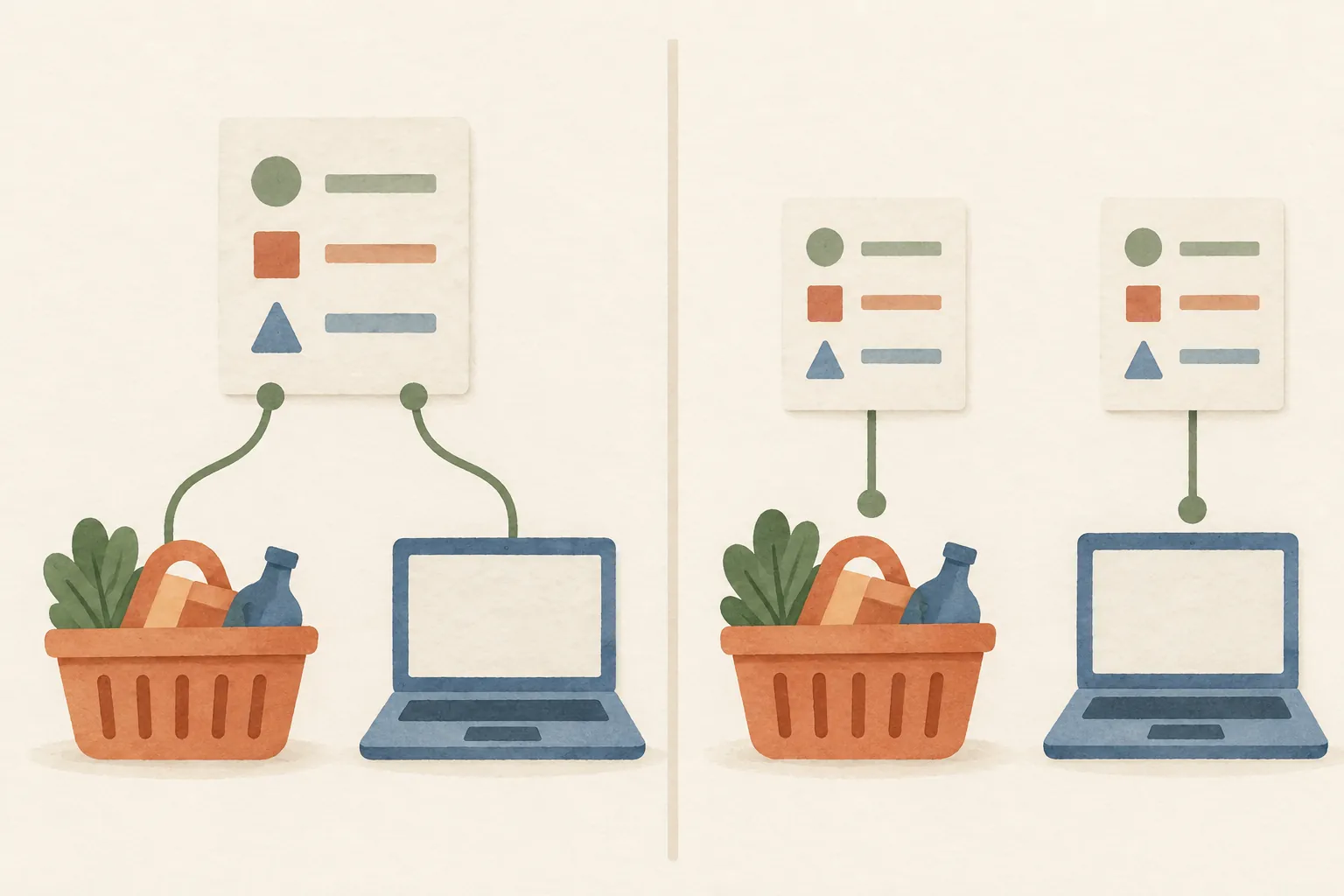
Overselling often starts with a simple gap: two places offer the same physical item, but each shows its own number. If one item sells at a stall while an online listing still says one is available, a second buyer may order it before you change that listing.
The Shopify Help Center's location fulfillment guide explains that inventory can be assigned to locations and that fulfillment rules affect which stock is available to an online order. That describes how a connected store handles its own locations. A separate marketplace, till, or manual list may not share the update. Check which systems actually exchange quantity changes before relying on a displayed total.
For a one-person shop, the common sources of mismatch are less technical:
- A sale is written on a receipt but not entered into the stock record.
- The same item is listed in two places with no shared quantity.
- A market box is packed from the total count, but its contents are not recorded as a transfer.
- A damaged piece, sample, or return changes the shelf count without a note.
- A sale is entered against the wrong product variant or place.
Compare the item's actual count with the record, then list every sale and movement since the last count. Find out whether a sale, transfer, damaged piece, or missed entry caused the gap before changing the number. The Shopify Help Center's quantity guide notes that accurate quantity records reduce the risk of overselling and that adjustment history can help trace a difference.

Overselling check: stock, sales, and place
To reduce overselling, record the item, its quantity, where it is held, and every change that moves it. A sales list alone may show what sold without showing which box or shelf held the units. A place-by-place count makes that missing detail visible before you promise an item.
| Check | Write down | Why it matters |
|---|---|---|
| Item | Name and variant, such as scent or size | Similar pieces do not get combined by mistake |
| Place | Shop, online orders, or market box | You can see where the units are available |
| Quantity | Count at a stated time | A number without a count time can be stale |
| Movement | Sale, purchase, transfer, return, sample, or adjustment | The next count has an explanation |
| Update owner | Who enters the movement, if more than one person helps | One action has a clear owner |
Use the same item names and units on the shelf, listing, and log. If the sheet says “lavender soap” but the market label says “lavender bar,” a rushed update can land on the wrong row. Put a matching label on the market box so you can tie the physical stock to the record.
The inventory spreadsheet guide explains the basic fields for a movement-based record. If counts still disagree after you log each movement, the cycle-counting routine gives you a way to check a small group of items and follow up on a mismatch.
The daily routine that closes the gap
A daily closeout works when it is short enough to repeat. At the end of each selling day, enter sales from every place, check any low-stock or last-unit items, and compare the record with the units you can see. If a sale happens after the closeout, enter it before the next place opens.
- Collect the day's sales. Bring together online orders, till slips, cash notes, and market tallies. Mark which entries are not yet in the stock record.
- Enter each sale once. Use the correct item, variant, quantity, and place. Avoid a single “market total” if it hides which products moved.
- Record transfers. If you moved pieces from the workroom to a market box, reduce one place and increase the other. The total stays the same; the location changes.
- Check exceptions. Note samples, damaged pieces, returns, and cancellations. Confirm the physical item before adding a return back to available stock.
- Review the remaining quantity. Compare a low-stock item with its physical count. If the number does not match, investigate the movements since the last confirmed count.
- Set the next update point. If a market opens before you can reconcile online orders, decide who enters those sales and when. Hide the item in the other place until its count is current.
This sequence does not require every item to be counted every night. It does require each sale to be captured and the risky items to be checked. Whatever tool you use, preserve enough detail to trace a number back to what changed it. Shopify's inventory adjustment instructions describe keeping a history of quantity changes for that reason.

A small buffer can help, with a tradeoff
A buffer is stock you choose not to offer until the latest sales have been reconciled. It can help when two places cannot share updates or when a market sale may not be entered until you return. The tradeoff is that those units are held back from sale, so use the smallest rule that fits your actual update delay.
Suppose a maker has 12 candles: 5 packed for a Saturday market and 7 listed online. If the maker cannot update the online quantity during the market, they could list fewer than 7 until the market count is entered. The right amount to hold back depends on the setup and the maker's own records. This example does not suggest a fixed percentage.
After the market, count the pieces that came back and enter the sales by item. Then update the quantity available online. If the same item sells out repeatedly during the gap, consider a tighter update schedule or a sales system that shares inventory. If the buffer often remains unused, it may be larger than the gap requires.
Do not let a buffer become a substitute for the closeout. A hidden reserve can become a second, stale count if nobody knows where it sits or when it is released. Give the buffer a place, owner, and review time.
Overselling: what to use when
Use connected inventory when several channels must show the same changing quantity at once. Use a manual log when sales are limited enough that you can enter them reliably before the next channel needs an accurate count. Either way, check what the system does during a sale, a return, and a transfer before you trust its totals.
| Your setup | Better fit | Check before relying on it |
|---|---|---|
| One selling place and infrequent sales | A current item list | How often you compare the list with the shelf |
| Online shop plus in-person till | A system that supports both channels | Whether each sale reduces the shared quantity |
| Online orders plus occasional market days | Manual entry with a daily closeout | Who enters market sales and when |
| One-off or handmade items | Reserve the piece in one place at a time | Whether listings in other places are removed promptly |
| Several helpers | A shared process with named update owners | How corrections and returns are recorded |
Shopify's overview of overselling recommends unified inventory for sellers using multiple channels. That kind of connection can reduce manual updates, but check which channels, locations, and order types it covers. A connected setup can still need careful location rules and accurate counts.
The last-unit handoff is where a manual count fails
When one unit remains, the gap between a sale and the next update matters more than the size of your catalog. A seller with 80 products can still oversell one item if a market sale and an online order both rely on the same last piece. The audience example for this site is a small shop that oversold twice in a month before it began logging sales by place. The change in the routine is to reduce the other listing or hold the item as soon as the first sale is accepted.
For a simple illustration, imagine four candles available before a market opens. Three sell at the stall while an online listing still shows all four. If a buyer orders two online before the count is changed, five orders now claim four candles. This is a hypothetical count example, not customer data. It shows why the next update must happen before another place offers the stale quantity.
This handoff test is quick: after a sale, can you name the remaining quantity and the places where it is still offered? If not, pause the other listing until you reconcile it. A Shopify guide to overselling describes the same underlying issue for connected channels: quantities need to reflect what has already sold.
What to do after an oversell
Stop offering any quantity you cannot confirm. Compare the physical stock with open orders and decide which orders you can fulfill. Tell affected buyers what happened and give them options you can meet. Wait to promise a restock date until you have checked the supplies and production steps.
Next, find the point where the counts split. Review the latest sales from each channel, transfers between places, returns, samples, damage, and manual adjustments. Check that each entry uses the same variant and unit. If the record is wrong, correct it with a dated reason so the next person can see what changed.
Finally, change one part of the routine that allowed the mismatch. That might mean entering market sales before reopening online listings, assigning one person to close the day, or keeping a small reserve while the stock is split. Recount the item after the next busy selling period to see whether the fix holds.
How the Ultimate Inventory Tracker handles this
The Ultimate Inventory Tracker (by Cosmo Suite: one Google Sheets and Excel file, 12 tabs, $9 once) keeps sales, purchases, adjustments, transfers, and stock by place in one workbook. When you log an entry, the connected tabs update the recorded quantity. Its Reorder List flags items at or below your chosen level.
The workbook does not connect to an online shop or a till, and it does not scan barcodes. You must log or paste each sale. It can help you keep the record and place counts together, but it cannot update a separate listing while you are serving a customer at a market. A spreadsheet for tracking inventory can suit a seller who is willing to keep that entry routine.
You get both Google Sheets and Excel versions, each with a sample copy and a clean copy, plus printable market tally and stock count pages. The Ultimate Inventory Tracker includes tabs for Sales, Transfers, Adjustments, Reorder List, and Stock by Place. Cost and profit figures are for your own tracking, not tax figures.
If you need automatic updates between online listings and a till, choose a tool that explicitly supports those connections. If you prefer to work from your own file, decide who enters each sale and close the count before you offer the same limited piece in another place.
The platform documentation was checked on 31 October 2026. The count example is hypothetical, not a customer result. Read about us and the editorial policy to learn who publishes this page and how to request a correction. Contact support@ultimateinventorytracker.site if you spot an error.
Frequently asked questions
What does overselling mean?
Overselling means accepting sales for more units than you can fulfill from the stock available. It can happen when separate sales places show the same last item as available, or when a sale is not removed from the count soon enough.
How do I stop overselling when I sell online and in person?
Use one source of truth for the quantity, remove in-person sales from the online quantity promptly, and check the remaining stock at a set time each day. A shared inventory system can update channels automatically; a spreadsheet needs you to enter each sale yourself.
Should I keep a buffer to prevent overselling?
A small buffer can reduce risk when updates are delayed, but it also holds back stock you could sell. Choose it from your own count history and update routine, then review it after busy days. A buffer does not replace recording sales.
Can a spreadsheet sync stock with my online shop or till?
Some systems connect to sales channels, but spreadsheet files do not do this by default. The Ultimate Inventory Tracker does not connect to an online shop or till and does not scan barcodes, so you log or paste each sale.
What should I do after an oversell?
Confirm the physical quantity and the orders that need it. Contact affected buyers with a clear update and the options you can actually fulfill. Then trace the mismatch through recent sales, transfers, returns, samples, and count changes before correcting the stock record.
How often should I check stock across sales places?
Check whenever stock moves between places and close the count at a consistent time each day you sell. Count fast-moving or low-stock items more often if your recent records show that daily entry leaves too large a gap.
Sources
Keep reading
Small Sellers
How to Track Inventory for a Small Business Without Updating Stock by Hand
Small business inventory management for a two-person shop: six record fields, a 15-minute weekly check, a monthly count, and the double entry to stop.
· 10 min read

Small Sellers
Inventory Shrinkage: How Small Sellers Find Where Stock Went
Inventory shrinkage is the gap between recorded and counted stock. Learn how to check sales, receiving, damage, and locations before changing your count.
· 7 min read

Small Sellers
Inventory and Sales Tracker: One Sale Row Updates Stock in Every Place
Inventory and sales tracker: log each sale once, see the remaining stock by place, and close out a fair or online order with a repeatable daily check.
· 8 min read
