Supplier List Template: Who You Buy From, What It Costs, How Long It Takes
Supplier list template for makers: the columns worth keeping, how lead time sets your order date, and a spend total from your Purchases tab.
By Ultimate Inventory Tracker by Cosmo Suite · Editorial policy
Published · 9 min read
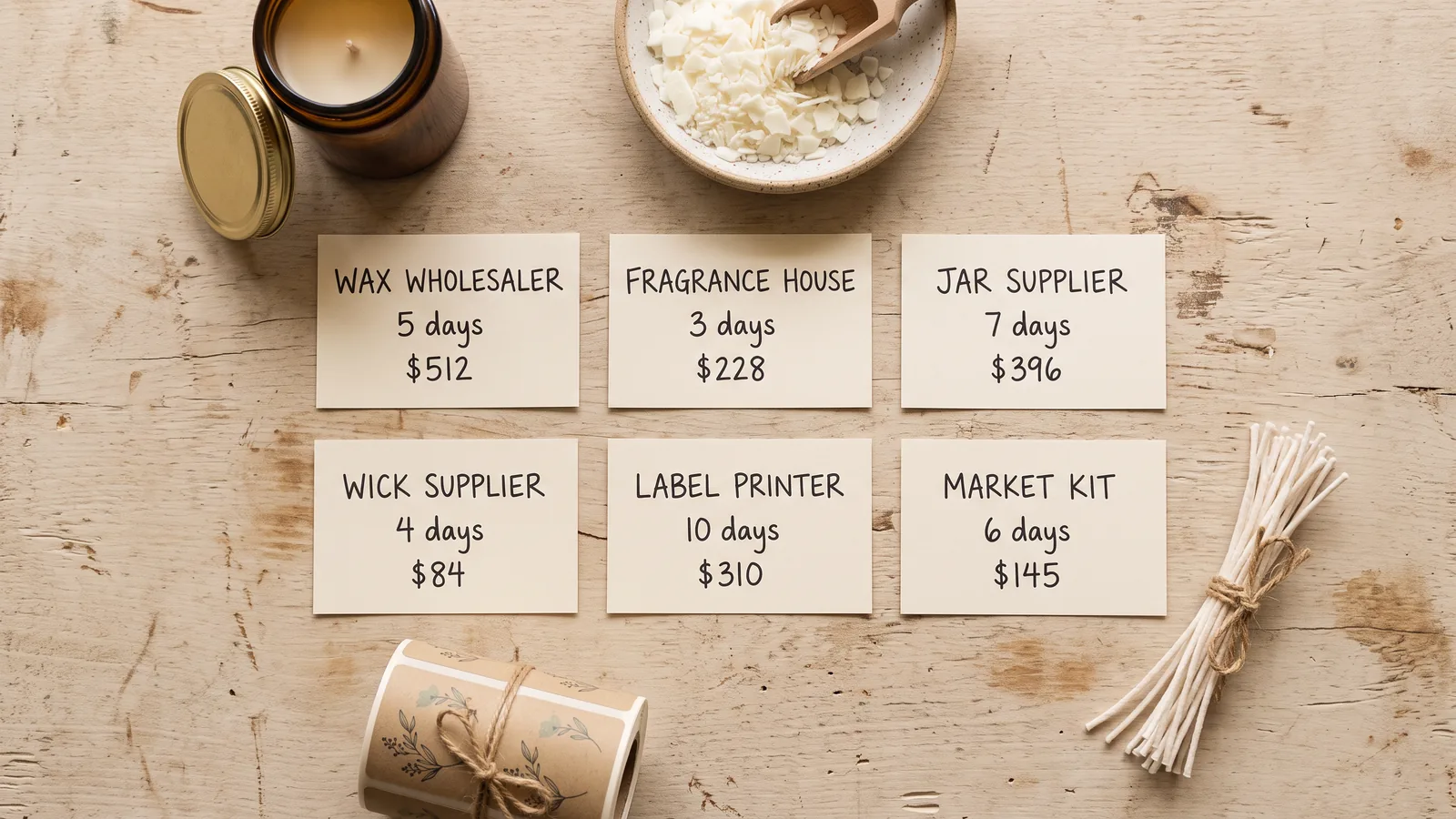
Six suppliers fit on one page: who sells what, how many days an order takes, and what each supplier has cost so far. It is short enough to read before you order and exact enough to catch the supplier who has started to slip.
The short answer: a supplier list template needs one row per supplier. Each row holds the items you buy, the lead time in days, the order minimum, the payment terms and a running total of spend. Lead time and spend decide when you order. The other columns tell you what the relationship costs.
Most templates on page one stop at contact details. Xappex's vendor list template covers contacts, payment terms, products offered, addresses and notes, with no lead time and no spend. That is a directory. A maker reordering wax, jars and labels every few weeks needs a page that answers a purchase question.
In Short
- One row per supplier, not one row per item.
- Store lead time as a number of days, measured from your own orders.
- Let purchases feed the spend total, so nothing is typed twice.
- Review the list before an order, not after a stockout.
What a Supplier List Template Needs
A supplier list template needs six working columns and two optional ones. The working columns cover what you buy, how long it takes, the smallest order, the terms and the spend. The optional ones help when more than one person buys.
| Column | Why it earns its place |
|---|---|
| Supplier | The shop or wholesaler's name, spelled once and reused |
| What you buy | The items and pack sizes, so nobody orders the wrong jar |
| Lead time (days) | A number, so you can subtract it from a date |
| Order minimum | The unit, value or pack floor |
| Payment terms | When you pay, such as on order or 30 days after delivery |
| Spend to date | A total pulled from purchases, not typed |
| Contact | A person and an email for a question about an order |
| Notes | Minimums that changed, a substitution, a quality problem |
Lead time and spend are the fields most lists miss. Xappex lists contacts, payment terms, products and addresses. HubSpot's vendor list adds an account representative and a fax number. Neither carries lead time or a spend total, because both were built to help an office find a phone number.
A supplier list is one row per supplier, not one row per item. The row holds the shop's name, what you buy there, how long its orders take, its minimum and the terms. Item detail stays on the product rows, where a supplier field points back to this page.
Procurement templates go further, in another direction. ISO Docs' master list of suppliers names the supplier, contact information, products offered, payment terms, lead time, quality standards and contract details. It follows ISO 9001 clause 8.4 and adds an approved-supplier record. That shape suits an audit. On a six-supplier shelf, quality standards and contract dates rarely change anything, while the day count changes every order.
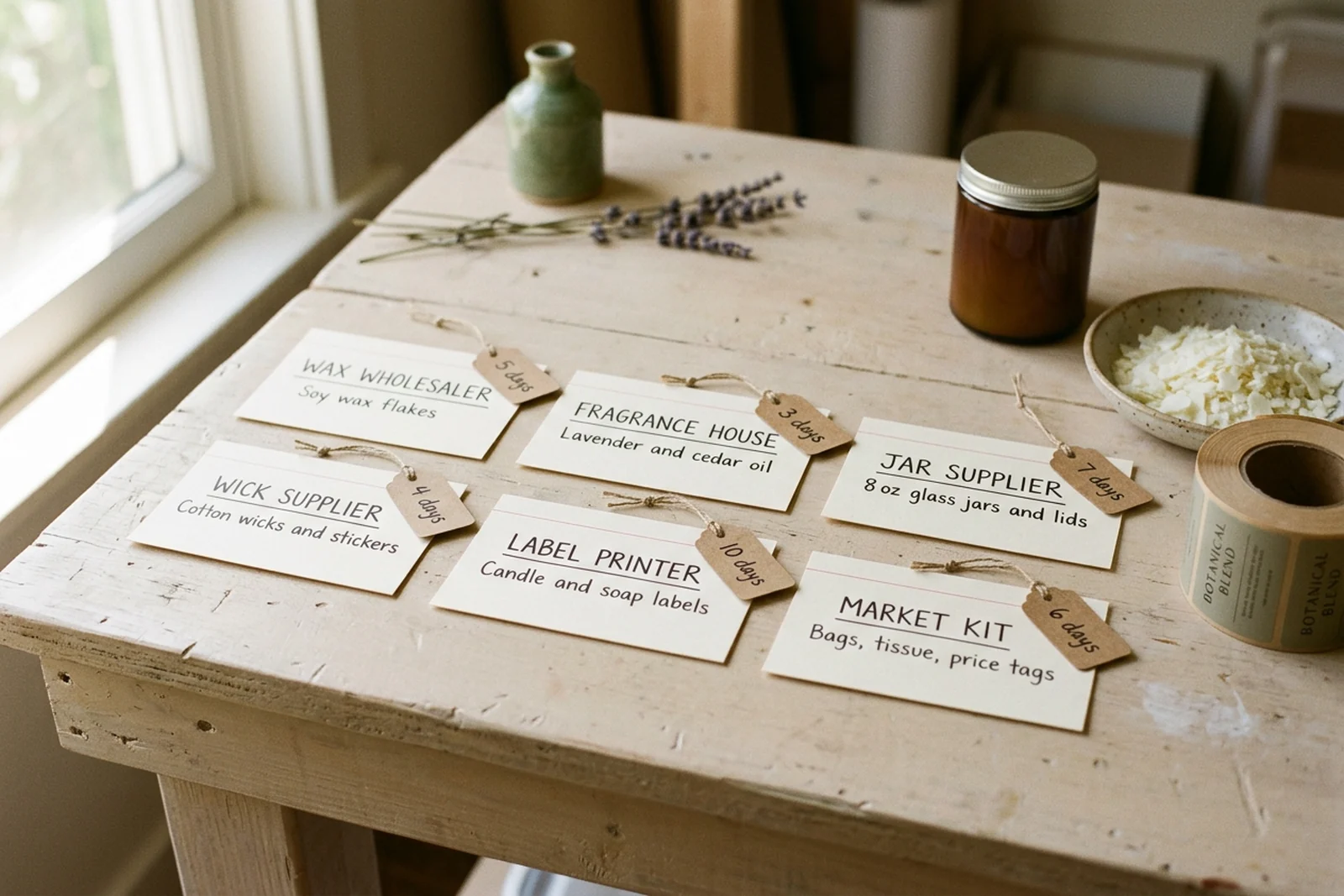
The Six-Supplier Shelf, Worked Through
Take a made-up candle and soap maker who buys from six suppliers: wax, fragrance oil, jars and lids, wicks, printed labels, and market kit. Each row carries one lead time and one spend figure.
An illustrative example, made up for this post, not a real shop's numbers. Prices are in USD, and quantities are left out because the point is the shape of the list.
| Supplier | What you buy | Lead time | Order minimum | Orders | Spend to date |
|---|---|---|---|---|---|
| Wax wholesaler | Soy wax flakes, 40 lb case | 5 days | 4 cases | 4 | $512 |
| Fragrance house | Lavender and cedar oil, 16 oz | 3 days | 4 bottles | 3 | $228 |
| Jar supplier | 8 oz glass jars and lids, case of 12 | 7 days | 6 cases | 6 | $396 |
| Wick supplier | Cotton wicks and stickers, pack of 100 | 4 days | 1 pack | 1 | $84 |
| Label printer | Candle and soap labels, roll of 250 | 10 days | 1 roll | 2 | $310 |
| Market kit shop | Bags, tissue, price tags | 6 days | $50 order | 5 | $145 |
The six rows add up to $1,675 of purchases for the year. The wax wholesaler holds the largest share, because every batch starts with a full case of soy wax. The jar supplier comes second, since jars arrive in cases of 12 and a batch of 18 candles uses 18 of them. The wick supplier comes last, because one pack covers the year.
The list leaves out item detail. It does not name every item you buy, and it does not repeat the supplier name on each product row. Product rows live in your stock sheet, with a supplier column that points back to this page. One row per supplier keeps the list short enough to read in a minute.
Supplier List Template: What to Use When
The right format depends on how many suppliers you have and what you need to prove. A notebook works for two suppliers. A gallery template works if its columns fit your trade. An approved-supplier form works when someone asks for one.
| Situation | What works | Where it strains | Best for |
|---|---|---|---|
| Two or three suppliers, all local | A notebook page per supplier | Nothing totals your spend | A shop that has just started |
| You want a free starting grid | A gallery template from Microsoft, HubSpot or Xappex | Contact fields, with no lead time or spend | A list you will extend yourself |
| A customer or certifier wants records | An approved-supplier form with review dates | Built for audits, heavy on fields you will not use | Shops with a quality system |
| You already track stock in a sheet | A Suppliers tab in the same file | You maintain the formulas | Makers who want one file |
| You want the totals without the formulas | A purpose-built file | No connection to a supplier's site | Makers buying from six or more |
If you build your own, the stock side is already covered. A supply inventory template sets out the columns for what is on the shelf, and the supplier column on those rows links back to this list. If you would rather not build the formulas, the Ultimate Inventory Tracker already has a Suppliers tab and a Purchases tab in one file.
Lead Time Sets the Order Date
Lead time is the number of days between sending an order and having the goods ready to use. Store it as a number, then subtract it from the day you need the stock.
The formula is one subtraction: order date = the day you need the goods − lead time − a buffer for the days that run long. Keep the buffer small and separate, so you can see what it is doing.
That buffer has a name. Safety stock is the extra cover a shop holds against a late delivery. The safety stock reading used in MIT's manufacturing course sets out why lead-time variation drives it. A maker with one shelf does not need the equations. Two extra days of cover on the supplier who has slipped twice is enough.
In the made-up example, the next candle batch is planned for 18 November and uses 126 oz of wax. The wax supplier's row says 5 days. Subtract 5 from 18 November and the order date is 13 November. With a 2-day buffer it moves to 11 November.
Imagine the wax arrives on the 13th instead of the 11th. The batch still runs. That is what the buffer is for, and it is why the order date is not the day you run out.
| Supplier | Needed by | Measured lead time | Order by |
|---|---|---|---|
| Wax wholesaler | 18 Nov | 5 days | 11 Nov |
| Fragrance house | 18 Nov | 3 days | 13 Nov |
| Jar supplier | 18 Nov | 7 days | 9 Nov |
| Wick supplier | 18 Nov | 4 days | 12 Nov |
| Label printer | 20 Nov | 10 days | 8 Nov |
| Market kit shop | 28 Nov | 6 days | 20 Nov |
The measured figure is the part most lists skip. A supplier may state 5 days, and your last three orders may have taken 5, 7 and 9 days. Use the 9. Two dates in the Purchases tab make this easy: the day you logged the order and the day you logged the arrival. The difference is your real lead time, and the order date should use it.
Here the supplier list does more than a contact sheet. The list holds the day count, and the stock sheet holds the reorder level. Together they answer when to place the order. The minimum order quantity guide covers what to do when the smallest order is larger than your need.
Spend per Supplier From Purchases
Spend per supplier works best as a total pulled from purchases. When each purchase row carries a supplier name and a total, one formula answers the question for every supplier at once.
In Excel and Google Sheets, SUMIFS adds the rows that match a supplier. Microsoft's reference gives the syntax as SUMIFS(sum_range, criteria_range1, criteria1, ...), and the SUMIFS examples on Microsoft's support page show a range of criteria in one call. In Sheets, SUMIFS(Purchases!H:H, Purchases!C:C, "Jar supplier") totals the column for one name.
Google Sheets also has QUERY, which returns a small table in one formula. QUERY(Purchases!A2:H, "select C, sum(H) group by C") lists every supplier with its total, so the whole spend column fits in one cell.
Read the spend column against the lead time column. The jar supplier takes the second-largest share and 7 days to deliver. That pair is worth a second source, because a late delivery stops a batch. The wick supplier costs $84 and delivers in 4 days, so a backup can wait.
To keep supplier names clean, use a dropdown in the supplier column. A data validation rule in Sheets does this, and it rejects any name that is not on the list. One spelling per supplier keeps the totals correct.
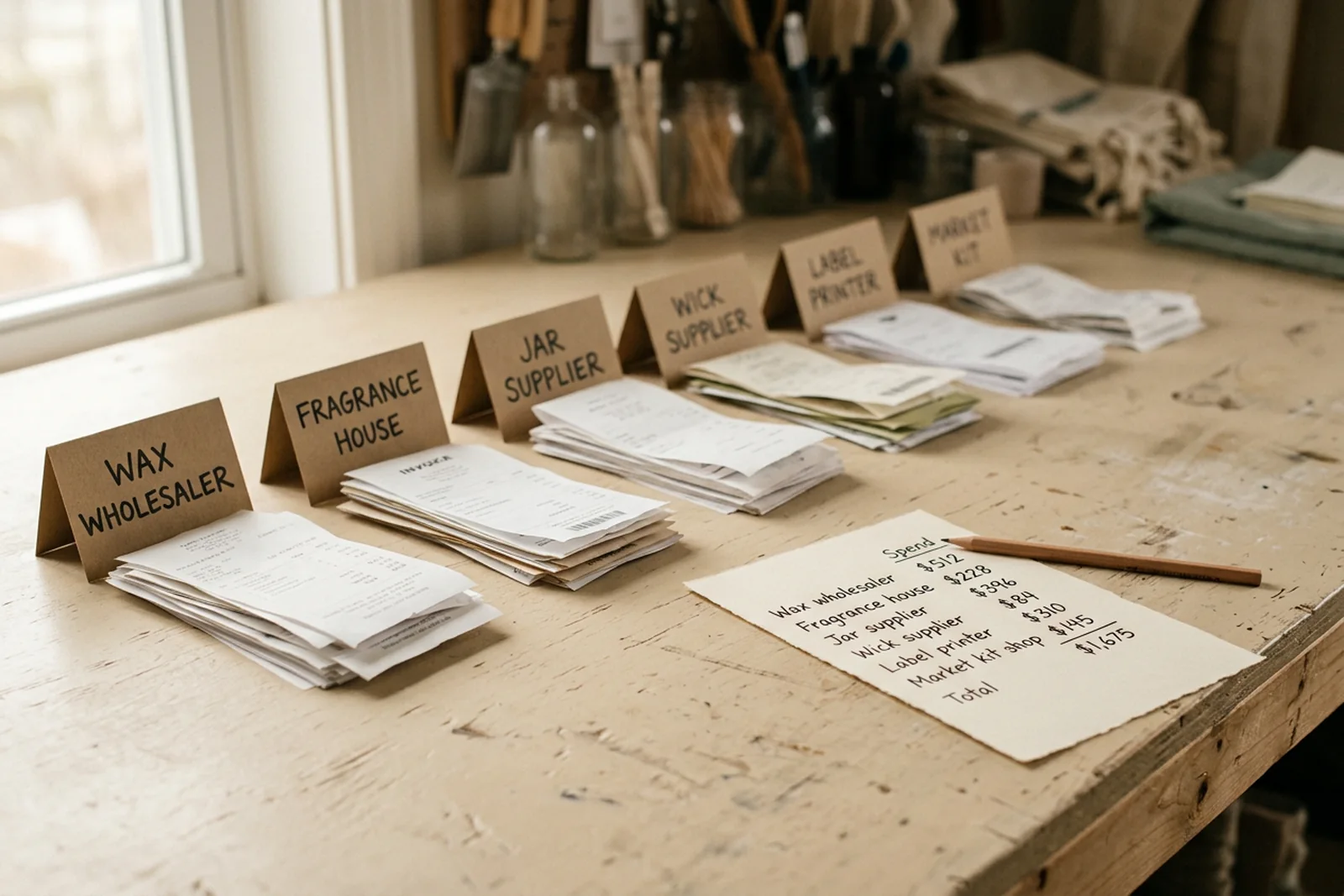
What Keeps a Supplier List Useful
Four habits keep the page worth reading a year after you make it. Each one takes a few seconds at a moment when you are already doing the work.
- Log the arrival, not just the order. The day the box opens is the honest end of a lead time. A list that stops at the order date slowly fills with promises.
- Use the measured lead time. Replace the stated figure once three orders are behind you. Keep the old number in the notes in case the supplier asks why you ordered early.
- Keep one name per supplier. A dropdown handles this without anyone having to remember. "Jar supplier" and "Jar Supplier Ltd" become two rows and two totals.
- Review the list before a big batch, not after a shortage. A minute with the order dates beats a week of waiting for wax.
A count is the other half. An inventory count sheet checks the shelf against the record, and the supplier list explains a gap when a delivery arrives short.
How the Ultimate Inventory Tracker Handles This
The Ultimate Inventory Tracker is one Google Sheets and one Excel file, 12 tabs, $9 once, by Cosmo Suite. It keeps the supplier list in the same file as the stock, and a purchase logged there raises the count and the supplier total at once.
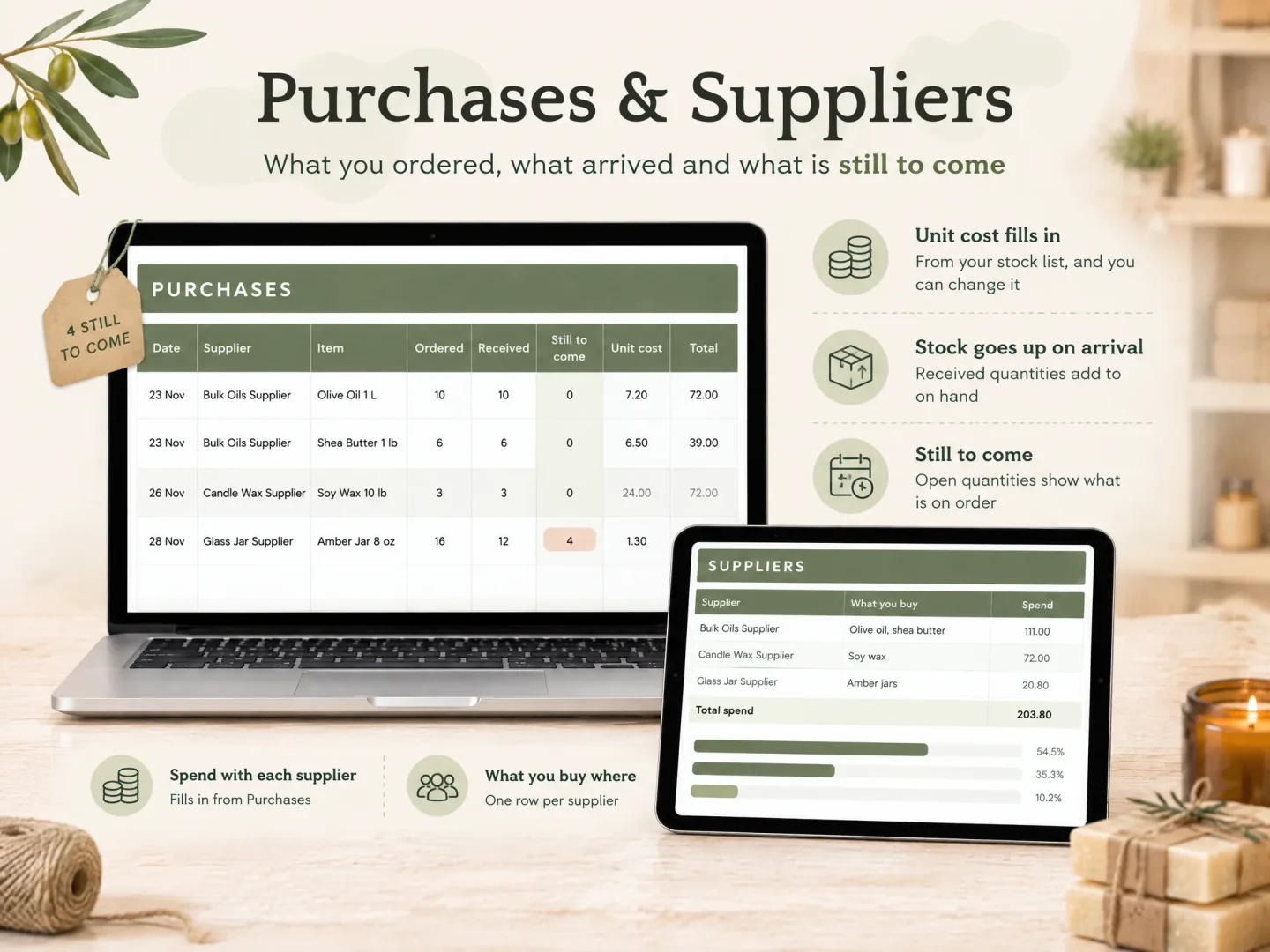
The Suppliers tab holds what you spend with each supplier. Purchases records what you ordered, what has arrived and what is still due, and stock goes up when goods arrive. Products & Supplies carries a supplier field on each item, so a product points back to the supplier row. The Reorder List names the usual supplier for anything at or below its reorder level.
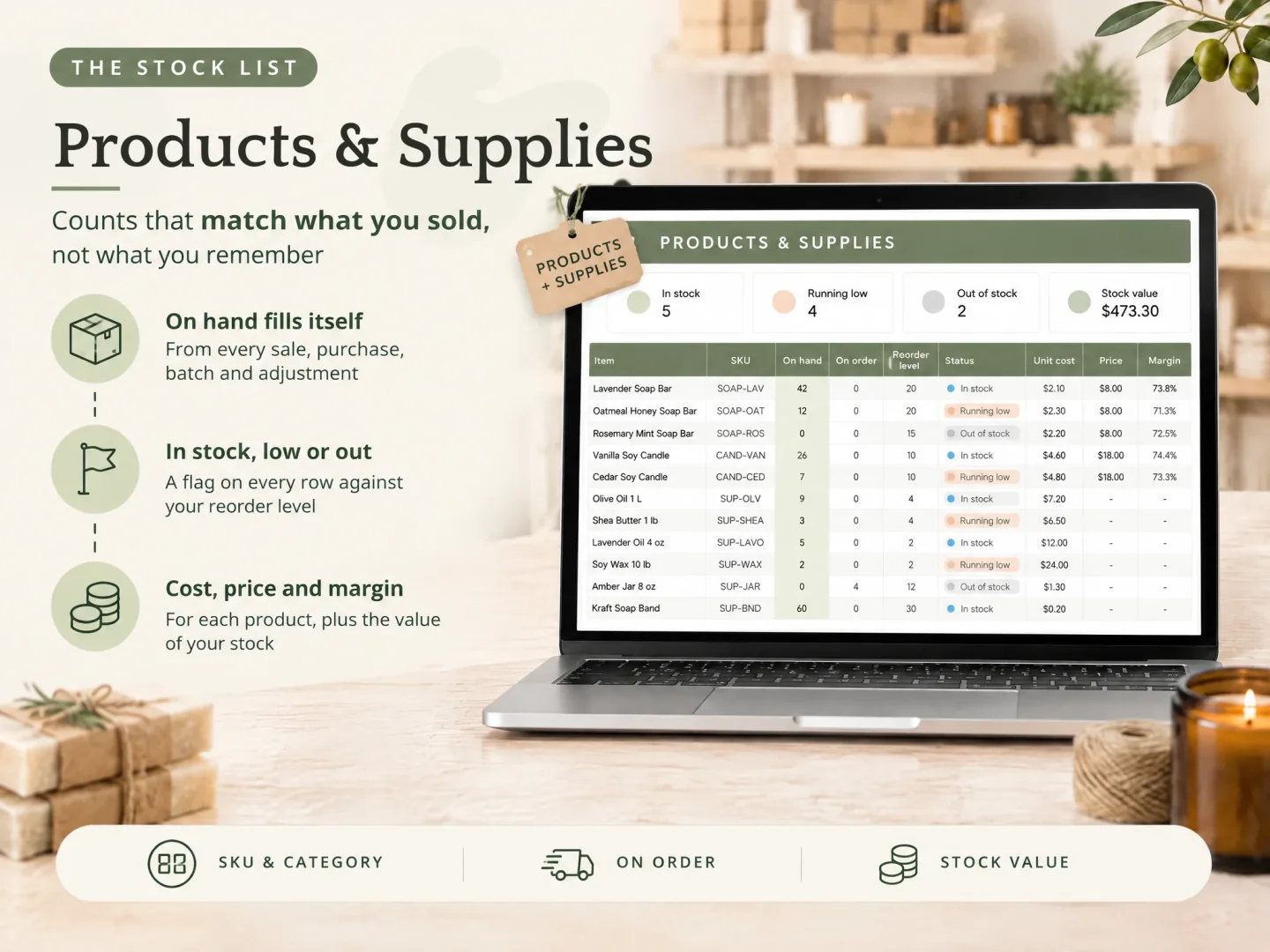
The list, the lead time and the spend then sit in one file. The tracker file and its 12 tabs are described on the product page. The stock sheet it replaces shows how product rows and supplier rows fit together.
Two limits. It has no connection to a supplier's site or an online shop, and it does not scan barcodes, so you log or paste each purchase yourself. Cost and spend are for your own tracking.
Ultimate Inventory Tracker is published by Cosmo Suite. Read About Us for company details, and the editorial policy explains how the site handles sources and corrections. For product questions, contact support@ultimateinventorytracker.site.
Frequently asked questions
What should a supplier list template include?
One row per supplier, with the items you buy, the lead time in days, the order minimum, the payment terms and a way to total your spend. Add a contact name and a note field if more than one person uses the list. Most free templates leave out lead time and spend, and those are the two fields that decide when you order.
How do I work out a supplier's lead time?
Write down the day you sent the order and the day the goods were ready to use, then count the days in between. Do that for three or four orders before you trust the number. What the supplier states is a promise; your measured figure is what the order date should use.
Should supplier spend sit in the same sheet as stock?
Yes, if the sheet already records purchases. Each purchase row carries a supplier name, so the per-supplier total comes from the rows that raised your stock. A separate spending sheet means typing the same order twice, and the two records drift apart within a month.
What is the difference between a supplier list and a vendor list?
They describe the same page. Procurement and office templates usually say vendor; makers say supplier for the shops and wholesalers they buy from. Search results use both words, so a template with either title can hold the same columns.
Do I need an approved supplier list?
Only if a customer, certifier or quality standard asks for one. An approved supplier list records which suppliers passed a review, often with quality standards and contract dates. Most makers with six suppliers need the working list first: what you buy, how long it takes, what it costs.
Does the Ultimate Inventory Tracker connect to my suppliers or place orders?
No. It has no connection to a supplier's site, sends no orders and scans no barcodes, so you log or paste each purchase yourself. It records what you ordered, what has arrived and what is still due, and it totals spend per supplier from those rows.
Sources
Keep reading

Templates and Sheets
Supply Inventory Template: Track Supplies by Unit
Supply inventory template for makers: count wax in ounces, oils in grams and jars each, set reorder levels, and see what one batch takes off the shelf.
· 9 min read
Templates and Sheets
Google Sheets Inventory Template: Track Stock on Your Laptop and at the Stall
Google Sheets inventory template: the tabs, the SUMIFS formula that updates stock from each sale, and a stall day worked through in the Sheets app.
· 9 min read
Templates and Sheets
Excel Inventory Template: Formulas That Update Stock From Every Sale
Excel inventory template: the four tabs, the SUMIFS formulas that update stock from every sale, and a craft fair weekend worked through 37 sales.
· 9 min read
