Google Sheets Inventory Template: Track Stock on Your Laptop and at the Stall
Google Sheets inventory template: the tabs, the SUMIFS formula that updates stock from each sale, and a stall day worked through in the Sheets app.
By Ultimate Inventory Tracker by Cosmo Suite · Editorial policy
Published · 9 min read
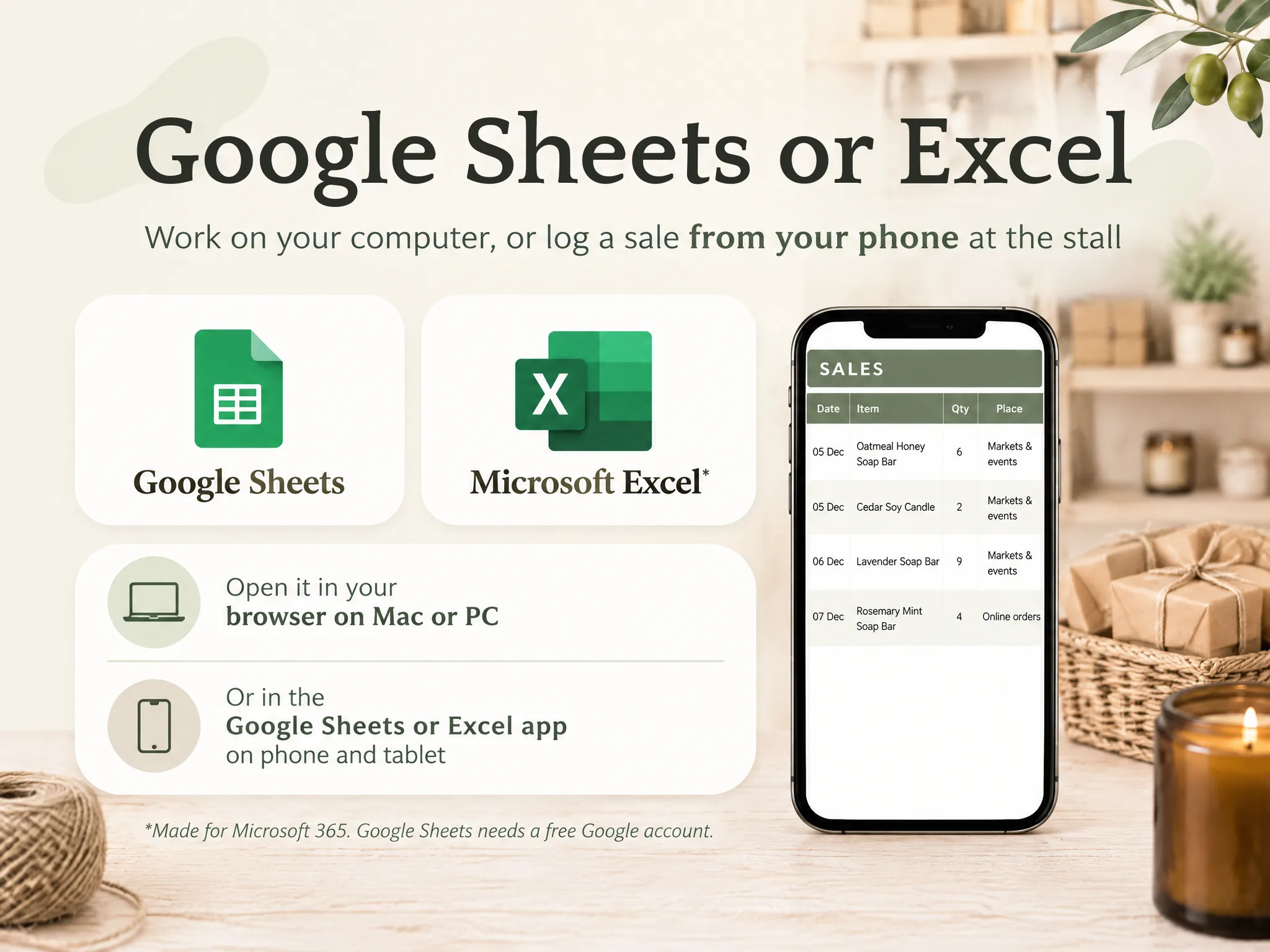
A Google Sheets inventory template is a file with an item list and a few log tabs. You record each sale and purchase on a log tab, and the stock on hand is worked out by formula, so you never type it.
Many free templates stop at the list, with a quantity column that you edit after every sale. That works for a week. Then the shelf and the sheet disagree and you no longer know which one to believe.
This post covers the four tabs, the formula that does the work, one stall day worked through, and what Sheets cannot do however carefully it is set up.
In Short: one item list, three log tabs, one SUMIFS formula. Enter each sale once.
The Google Sheets Inventory Template Layout: Four Tabs, One Formula
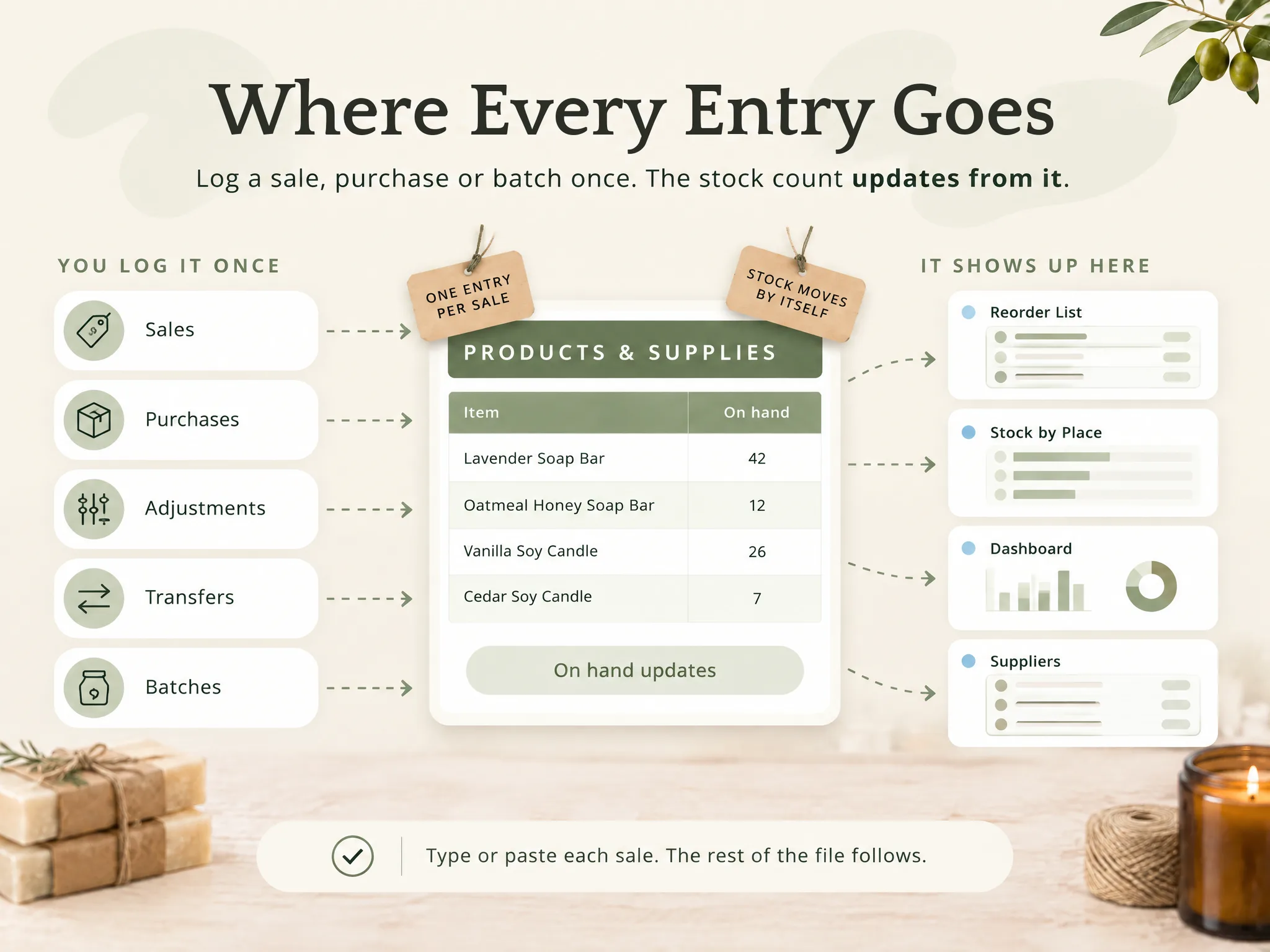
In short, you need four tabs: Items, Sales, Purchases and Adjustments. Items has one row per product or supply, while the other three have one row per movement, so the stock number is always a result of those rows and never something you type.
The formula box. On every log tab, column A is the item name, B the date, C the quantity and D the place. On Items, column A is the item, E is on hand and F is the reorder level.
| What it gives you | Formula (row 2 of Items) |
|---|---|
| On hand | =SUMIFS(Purchases!C:C,Purchases!A:A,$A2)-SUMIFS(Sales!C:C,Sales!A:A,$A2)+SUMIFS(Adjustments!C:C,Adjustments!A:A,$A2) |
| Status flag | =IF(E2<=F2,"Running low","In stock") |
| Sold at one place | =SUMIFS(Sales!C:C,Sales!A:A,$A2,Sales!D:D,"Market") |
| Only the low rows, as a short list | =QUERY(Items!A:F,"select A, E, F where E <= F",1) |
Google describes SUMIFS as one that "returns the sum of a range depending on multiple criteria". Here that means: pick one item's rows out of a long log and add them up.
Put what you already own in as the first Purchases row. Enter a count correction on Adjustments, as a negative number if you have fewer than the sheet says.
What a Free Sheets Template Does, and Where a Typed Quantity Breaks
Free Sheets templates give you a layout and a few formulas. The question to ask of any of them is narrow: when you log a sale, does the stock change?
One free guide, Magesheet, demonstrates both structures. Its main template has eight columns: "SKU, item name, quantity on hand, reorder point, unit cost, stock value, supplier, and last updated", and a live-count sheet where you edit the quantity yourself. It also describes a movement log, a second tab with a dated row for each change, and says that version keeps the count from drifting. We agree. The movement log is the layout in this post.
A quantity you overwrite also loses its history, because when you type 12 over 14 nothing records why the number changed. The full column list is in our inventory spreadsheet guide, and the same build in Excel is in the Excel inventory template post.
Google Sheets Inventory Template: What to Use When
However, choose the simplest option that still changes the count when you log a sale. A plain list suits a shelf at home. A logged sheet suits a seller. An application suits you when you need scanning or a shop connection.
| Option | What it does | Best for |
|---|---|---|
| Plain list | Item and a quantity you type | Home contents, one shelf |
| Free template with a live count | List with totals and a reorder flag; you edit the quantity | Learning the layout, few items |
| Logged sheet (this post) | On hand comes from sales, purchases and adjustments | A seller with one to three places |
| Inventory app | Barcode scanning, shop connection, several users | A connected shop, a team |
The middle two rows look alike in a screenshot. The difference shows when you log a sale and watch what moves.
The Stall Day, Worked Through
Here is one Saturday as an illustrative example. It is a made-up maker with one product, not a customer result.
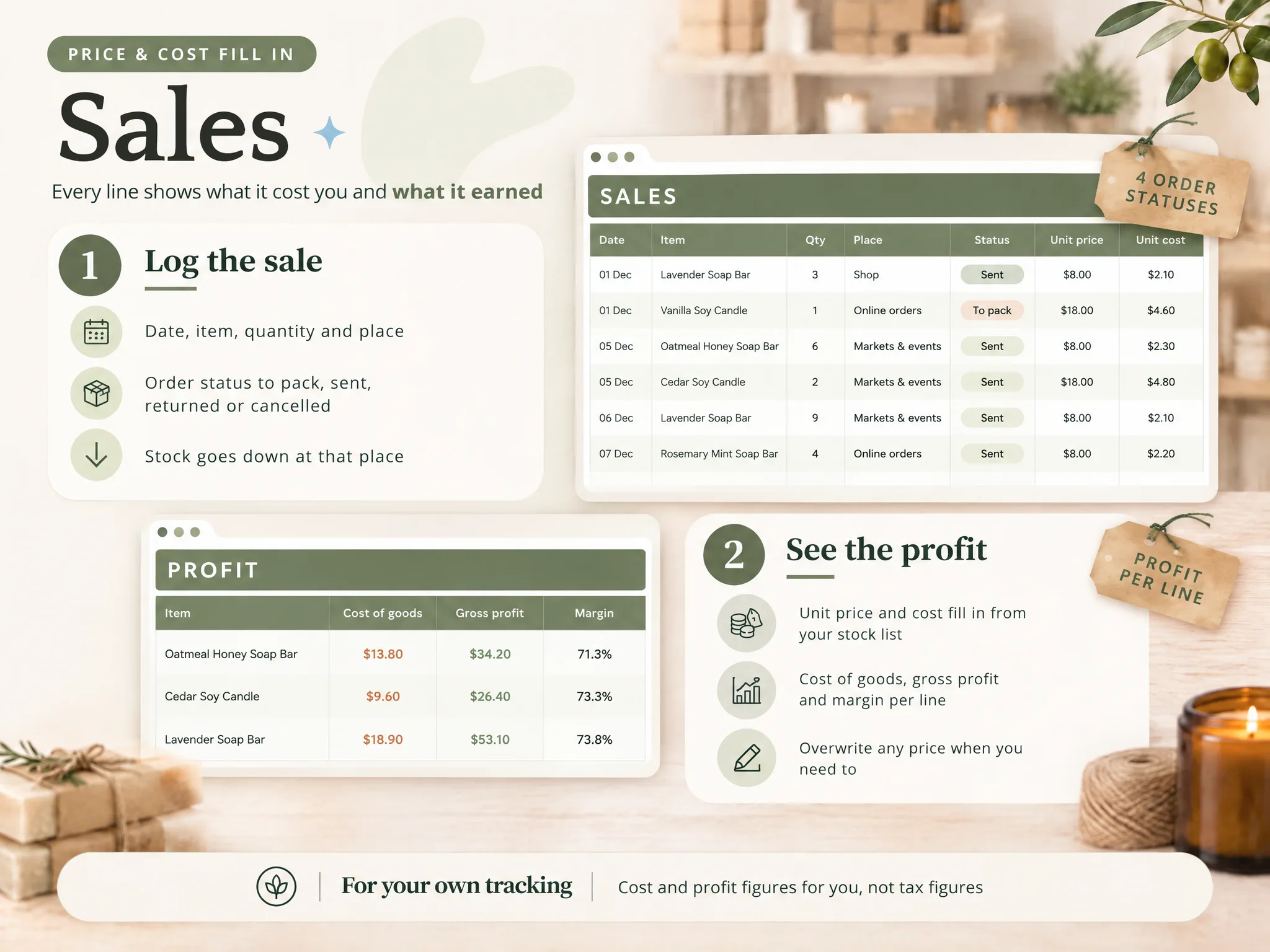
You count 40 candles on Friday night. You pack 30 for the stall and 10 stay at home. On Saturday you sell 12 at the stall, and 3 more by message that evening, filled from the shelf at home. That is 15 sold.
Record two sale rows: 12 with the place Market and 3 with the place Online. On hand is 40 − 15 = 25. The stall holds 30 − 12 = 18 and home holds 10 − 3 = 7. The two add back to 25, which is your check.
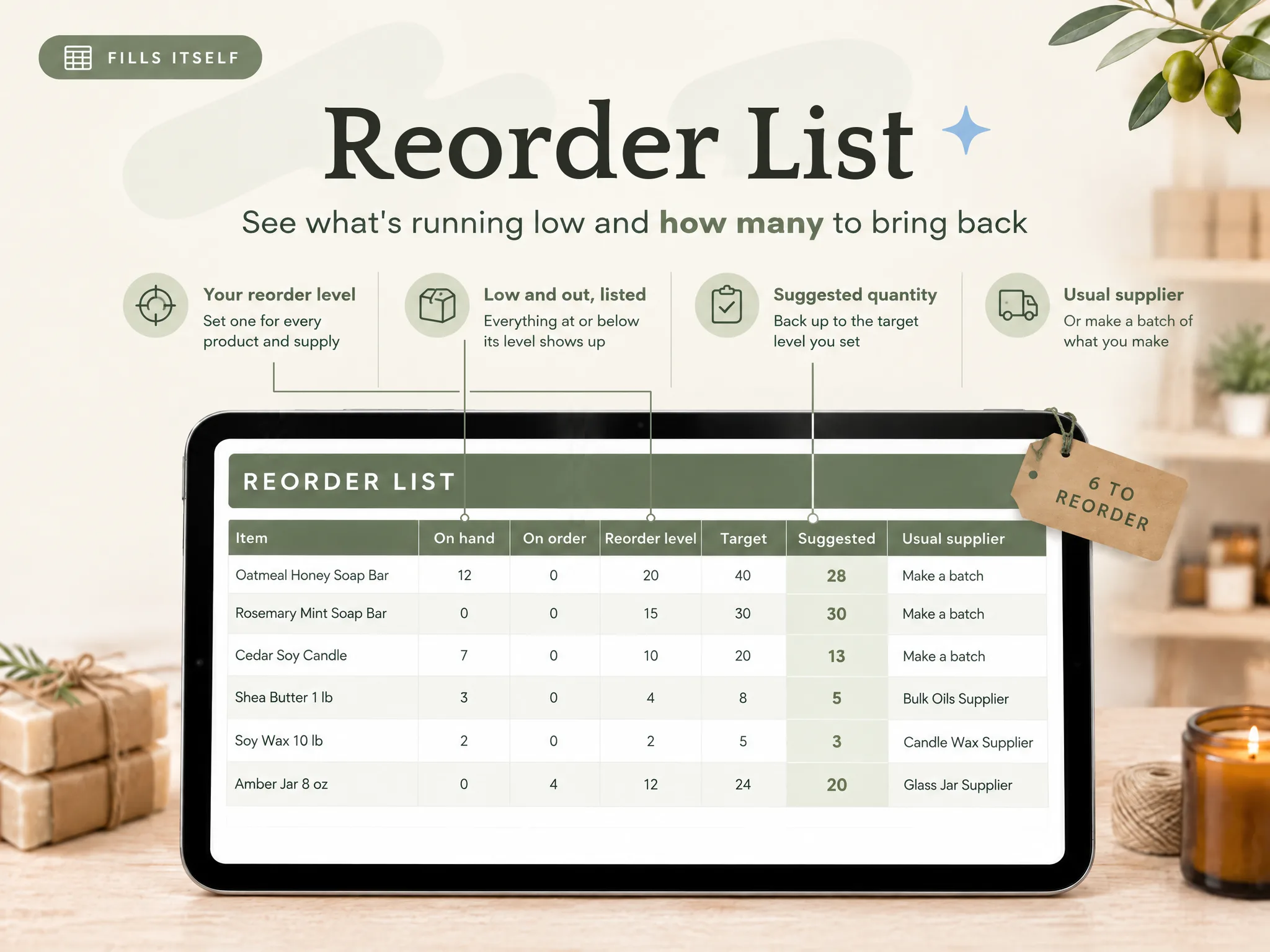
Say the reorder level is 20. At 25 the status still reads In stock, but after five more sales it reads Running low. You see that on Monday, not on the day the shelf is empty.
Build It in Google Sheets in Five Steps
For example, you can build this in an evening. Test every step with a transaction you can verify by hand before continuing to the next one.
Step 1: Make the four tabs
Name the tabs Items, Sales, Purchases and Adjustments, give each log tab the same four columns of item, date, quantity and place. Freeze the top row so the headings stay visible while the log grows.
Step 2: List your items
Enter one item on each row of Items, with a category, a unit of measure and a reorder level, and spell every name exactly once. SUMIFS matches text, so "Soy Candle" and "Soy Candle " with a trailing space are two items, and the second returns 0 with no error.
Step 3: Add drop-down lists
Select the item column on a log tab and choose Data, then Data validation, then add a rule with a dropdown from a range. Point it at the Items name column. Google's help page shows how to create a dropdown list. Do the same for the place column, since drop-downs also reduce typing errors on a small phone screen.
Step 4: Add the formulas
Paste the on hand and status formulas into row 2 of Items and fill them down the column. Then log your opening stock as the first Purchases row, add one test sale, and check that the on hand figure falls by exactly that quantity.
Step 5: Add the low-stock colour
Select the Items rows, choose Format, then Conditional formatting, and pick "Custom formula is". Enter =$E2<=$F2 as the formula and pick a fill colour, and any row whose on hand figure has reached its reorder level will change colour automatically.
Using It at the Stall
Open the file in the Google Sheets app and add one row per sale, using the drop-downs, which is the whole job on the day. If a phone is inconvenient on a crowded stall table, keep a paper tally and type it in on Monday, because the file does not mind when you type it, only that you do. Is that slower than a barcode scanner? Yes, although it costs nothing additional.
Maintain these three habits and the numbers will stay reliable:
- Log sales on the day, or from the tally on Monday.
- Spend 15 minutes a week reviewing the running-low rows.
- Count the physical shelf once a month and enter any difference as an adjustment with a documented reason.
Maintain a single copy of the file in one location, because two copies quietly become two different inventories.
What Sheets Cannot Do, Whatever the Template
However, the limits are the same for every Sheets file, such as no shop link. It does not connect to an online shop or a till, and it does not scan barcodes, so you log or paste each sale. It also cannot count what was sold and never logged, and it sends no alert, because the colour only shows when you open the file.
A hand-built sheet also becomes heavy once stock moves between places, since each place needs its own terms for stock in, stock out and stock sold, and one typo in any of them breaks the row.
The stock value column is for your own tracking. For how inventory is treated for taxes, read the Inventories section of IRS Publication 334, Tax Guide for Small Business and ask a tax professional about your own case.
How the Ultimate Inventory Tracker Handles This
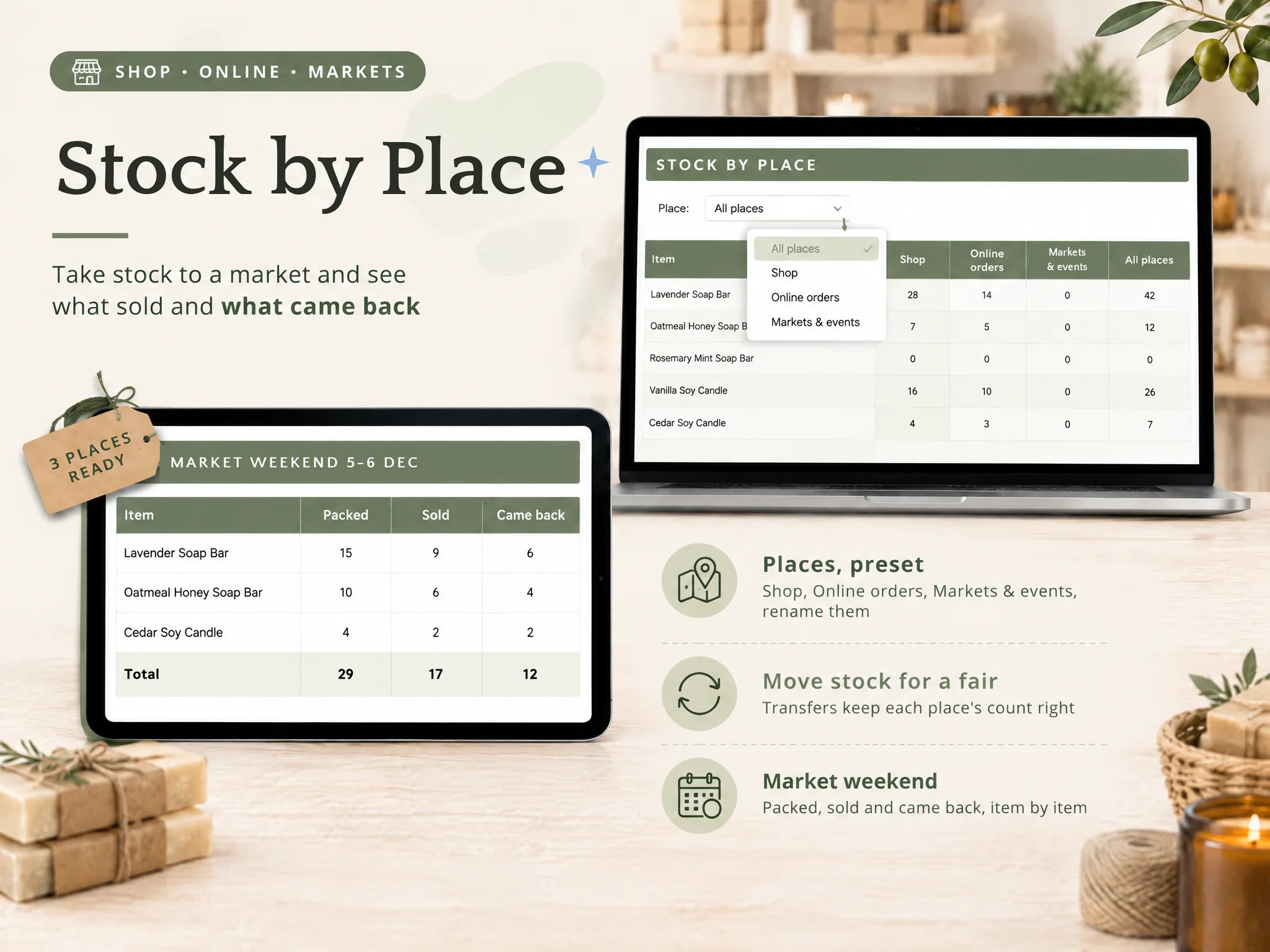
The Ultimate Inventory Tracker (by Cosmo Suite: one Google Sheets and Excel file, 12 tabs, $9 once) is this layout already built and linked. Log a sale, a purchase, an adjustment, a transfer or a batch once, and on hand, the Reorder List and stock by place follow from that row.
For makers, a Recipes tab holds the supplies in one finished piece and Batches takes supplies out and puts finished pieces in. Cost and profit per product are in the file for your own tracking, not as tax figures. It comes as a sample copy with a small maker's example and as a clean copy, plus printable pages for a market-day tally and a stock count.
It does not connect to a shop or a till and does not scan barcodes. If you would rather start from a linked Google Sheets file than build the tabs yourself, it is a one-time purchase, and the same layout comes in Excel too.
We make this file, so weigh our view accordingly. We read the Google and Magesheet pages on 13 October 2026 and worked the stall figures by hand. Our editorial policy explains how we fact-check, our about us page says who writes these posts, and you can contact us through the site if something here is wrong.
Frequently Asked Questions
Is there a free Google Sheets inventory template?
Yes, several. Most provide a list of items with a quantity column that you edit manually. Before you pick one, check whether a second tab records each sale and the stock on hand is worked out from it. That is the version that remains accurate after a particularly busy weekend.
How do I make a Google Sheets inventory update automatically?
Keep the stock on hand as a formula, not a typed number. A SUMIFS formula adds what came in and takes away what went out, using the rows on your log tabs. You then enter each sale once, on the Sales tab, and the item list updates accordingly.
Can I use a Google Sheets inventory on my phone at a market?
Yes. Open the file in the Google Sheets app and enter sales as rows. Drop-down lists reduce typing on a small screen. A printed tally sheet is a calmer alternative on a crowded stall, entered into the file afterwards.
How do I list low stock in Google Sheets?
Add a status column that compares on hand with the reorder level, and colour the row with a custom-formula rule in conditional formatting. A QUERY formula can also pull only the low rows into a short list. Sheets will not send you an alert by itself.
Can Google Sheets connect to my online shop or scan barcodes?
Not by itself. A template, ours included, does not connect to an online shop or a till and does not scan barcodes. You type or paste each sale. If you need a live shop link or scanning, an inventory app is the better tool.
Should I build my own sheet or buy a ready one?
Build it if you enjoy the process and have one location and a few items. Buy one if your time is better spent making products. A ready file saves the evening of formulas and the repair work after a typing error.
Frequently asked questions
Is there a free Google Sheets inventory template?
Yes, several. Most provide a list of items with a quantity column that you edit manually. Before you pick one, check whether a second tab records each sale and the stock on hand is worked out from it. That is the version that remains accurate after a particularly busy weekend.
How do I make a Google Sheets inventory update automatically?
Keep the stock on hand as a formula, not a typed number. A SUMIFS formula adds what came in and takes away what went out, using the rows on your log tabs. You then enter each sale once, on the Sales tab, and the item list updates accordingly.
Can I use a Google Sheets inventory on my phone at a market?
Yes. Open the file in the Google Sheets app and enter sales as rows. Drop-down lists reduce typing on a small screen. A printed tally sheet is a calmer alternative on a crowded stall, entered into the file afterwards.
How do I list low stock in Google Sheets?
Add a status column that compares on hand with the reorder level, and colour the row with a custom-formula rule in conditional formatting. A QUERY formula can also pull only the low rows into a short list. Sheets will not send you an alert by itself.
Can Google Sheets connect to my online shop or scan barcodes?
Not by itself. A template, ours included, does not connect to an online shop or a till and does not scan barcodes. You type or paste each sale. If you need a live shop link or scanning, an inventory app is the better tool.
Should I build my own sheet or buy a ready one?
Build it if you enjoy the process and have one location and a few items. Buy one if your time is better spent making products. A ready file saves the evening of formulas and the repair work after a typing error.
Sources
Keep reading
Templates and Sheets
Excel Inventory Template: Formulas That Update Stock From Every Sale
Excel inventory template: the four tabs, the SUMIFS formulas that update stock from every sale, and a craft fair weekend worked through 37 sales.
· 9 min read
Templates and Sheets
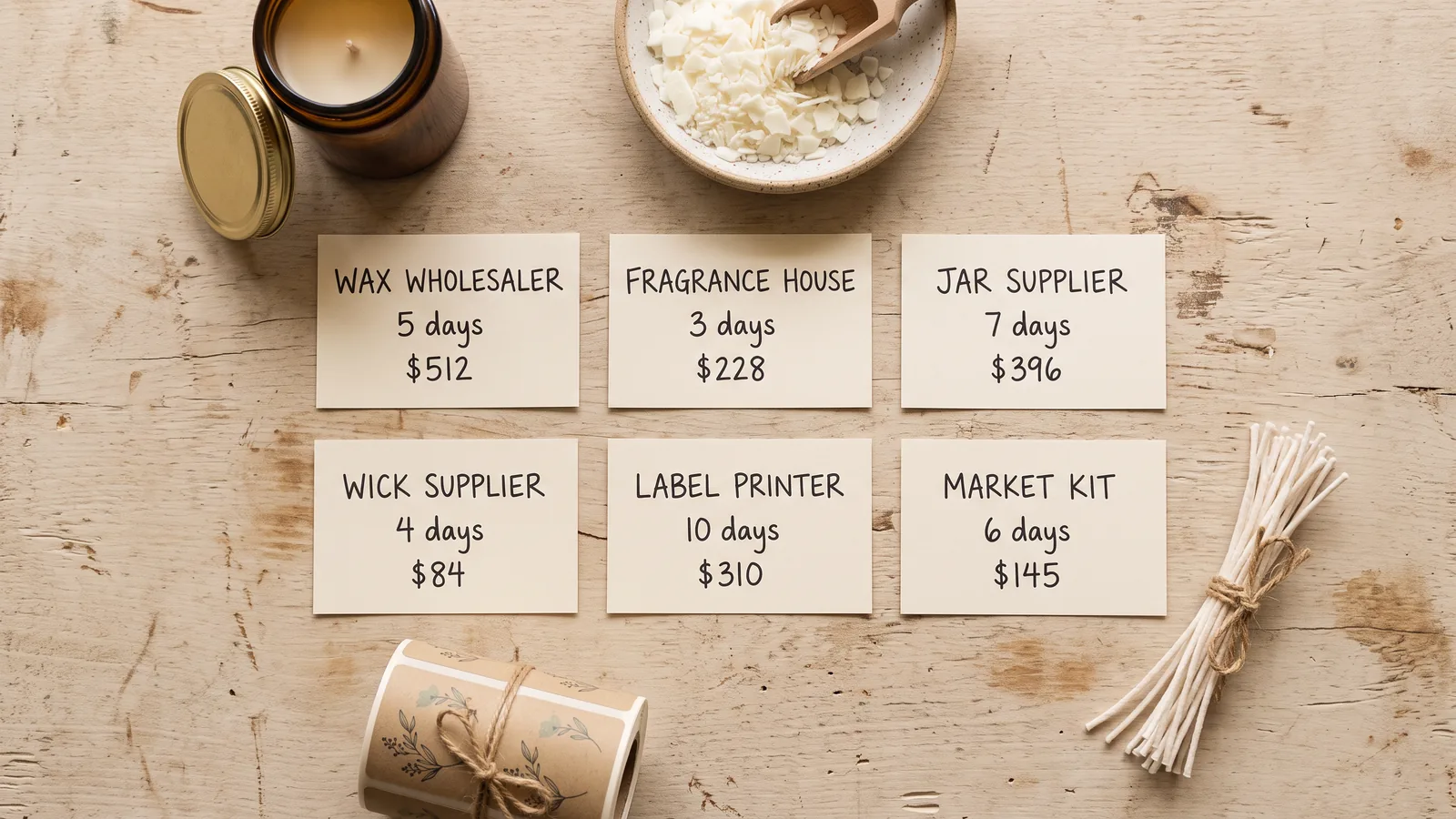
Supplier List Template: Who You Buy From, What It Costs, How Long It Takes
Supplier list template for makers: the columns worth keeping, how lead time sets your order date, and a spend total from your Purchases tab.
· 9 min read

Templates and Sheets
Supply Inventory Template: Track Supplies by Unit
Supply inventory template for makers: count wax in ounces, oils in grams and jars each, set reorder levels, and see what one batch takes off the shelf.
· 9 min read
