Craft Inventory Spreadsheet: Track Supplies and Finished Pieces Together
Craft inventory spreadsheet: track materials, recipes, batches, and finished pieces in one file. See the rows a maker needs and when a sheet fits.
By Ultimate Inventory Tracker by Cosmo Suite · Editorial policy
Published · 7 min read
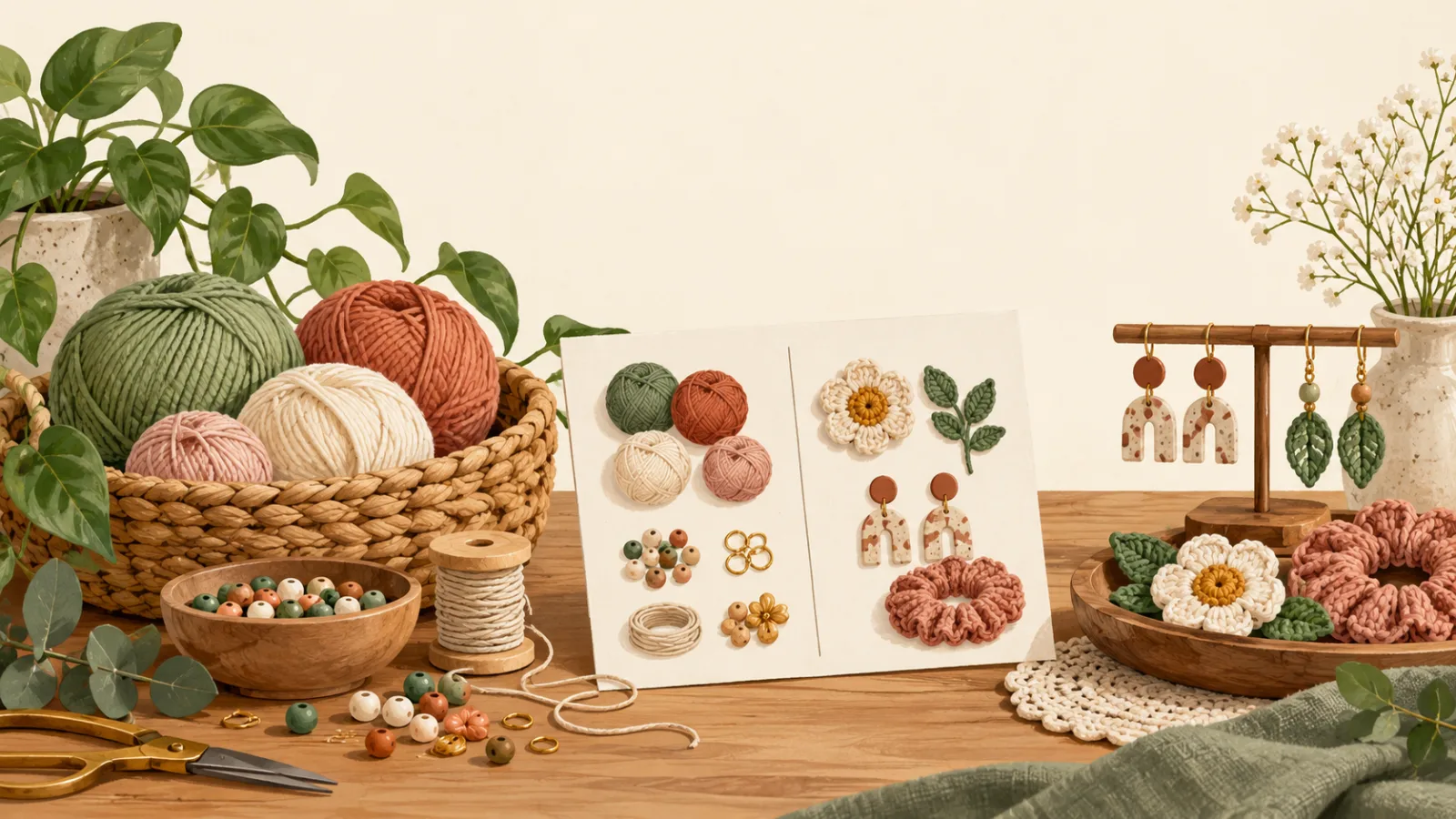
A craft inventory spreadsheet is a stock record for the materials you use and the pieces you sell. A batch lowers material counts and raises finished-piece counts, while a finished-goods list alone leaves out the supplies that limit what you can make next.
For a small handmade shop, maintain one categorized item list for supplies and finished pieces. Record purchases, sales, adjustments, and batches in separate movement logs. A recipe identifies the materials each product uses, and a batch entry applies that recipe to the production quantity.
At a Glance
- Give each material and finished piece its own item row.
- Use consistent units, such as each, oz, or g.
- Log a batch against a recipe so materials used and pieces made stay connected.
- Count by place when you keep stock at a studio, home, or market stall.
What should a craft inventory spreadsheet include?
A craft inventory spreadsheet needs an item list, a way to record stock changes, and a recipe for each product made from supplies. Start with the fields you use to count. Add the movement details in separate logs so the item list can show where each quantity came from.
| Record | Fields to include | Why it helps |
|---|---|---|
| Item list | Item name, type, unit, quantity, place, reorder level | Separates supplies from ready-to-sell pieces |
| Purchases | Supply, quantity received, date, supplier | Adds materials when they arrive |
| Sales | Finished piece, quantity sold, date, place | Removes pieces you sold |
| Recipe | Product, supply, amount used per piece | Connects a product to its materials |
| Batch | Product, quantity made, date | Applies the recipe and adds the finished pieces |
| Adjustment | Item, quantity change, reason, date | Records a count correction, damage, or sample |
Use this stock calculation: quantity on hand = opening count + purchases - sales - materials used + adjustments. Record the opening count as an entry. Typing over the result erases the trail behind that quantity.
Microsoft's Excel inventory template gallery includes lists with quantity and reorder fields. Check whether a maker's template also records the materials used to make each finished piece. A plain product list does not show that movement.
The maker's month, worked through
Use a crochet and jewellery shop with 30 supply rows and 12 finished products as a layout example. Each product has a recipe. For example, a crochet pouch might use yarn and a fastener; earrings might use wire and two beads. The item list keeps both kinds of stock in view.
These figures come from the site's approved content plan. They describe an example setup, not a customer's results. For each finished product, list the materials and amount used for one piece. Keep the unit the same in the recipe and supply row, or record a clear conversion. If a product has several versions, give each one a separate recipe when its materials differ.
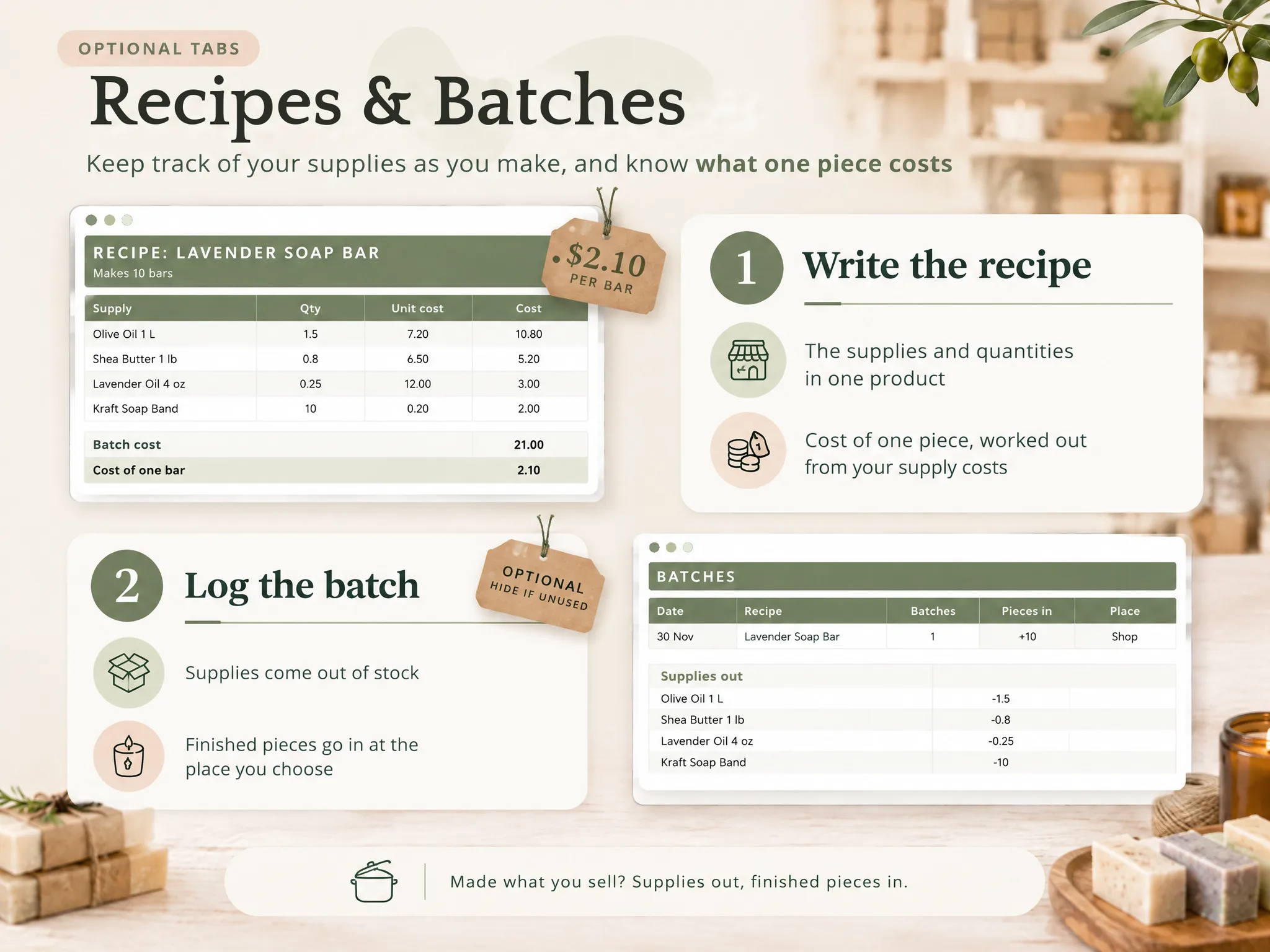
For a batch, enter the product and number of pieces made. Its recipe tells the sheet which supplies to subtract, and the batch adds finished pieces to stock. If a piece is damaged or kept as a sample, record an adjustment and its reason instead of overwriting the quantity. After the first batch, compare the remaining supplies with what you can see on the shelf, because that check catches a wrong unit or a recipe amount entered in the wrong column.
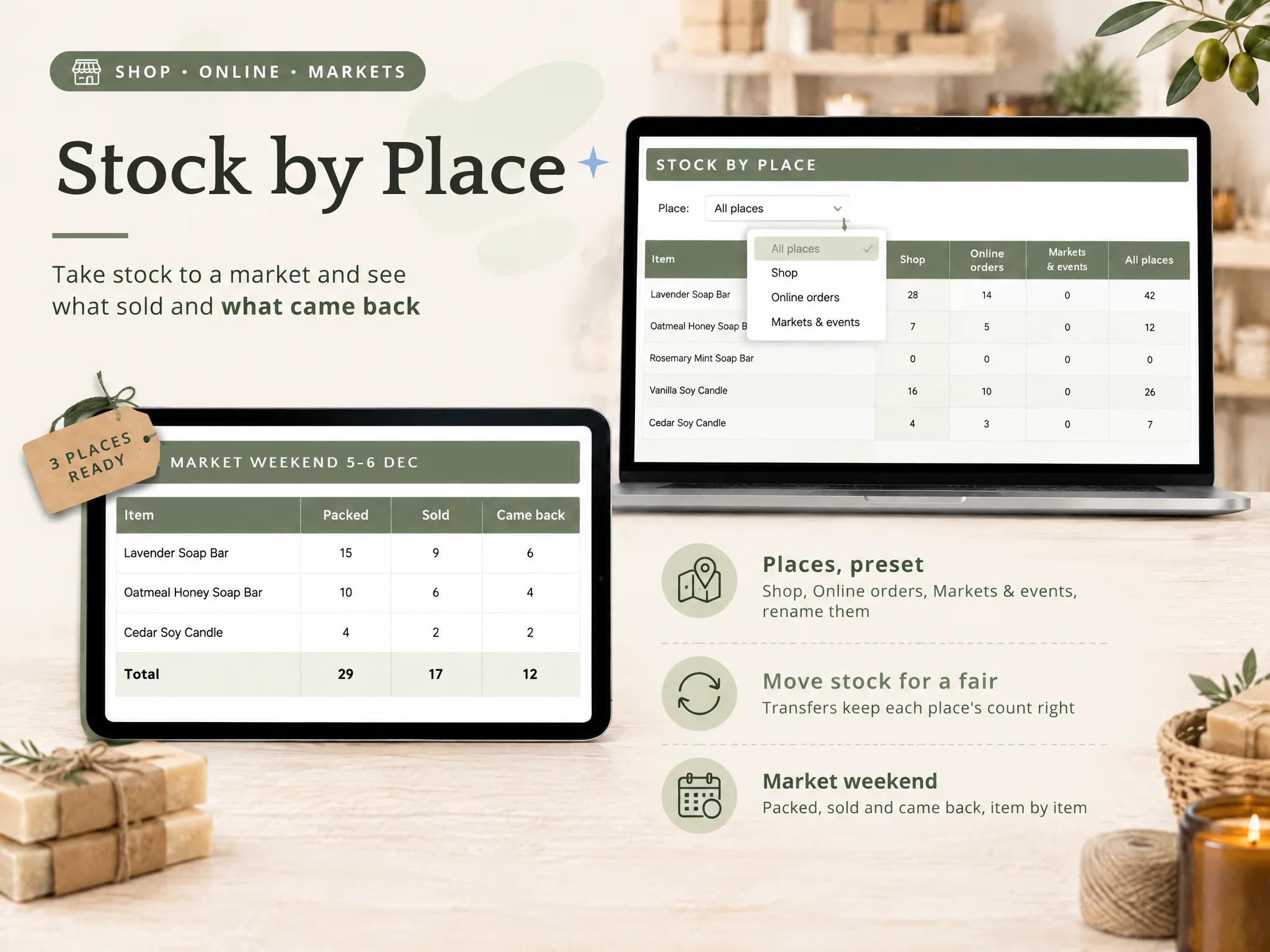
Log a sale with the finished product, quantity, and place. If you sell at a weekend market and keep more stock at home, place-level counts show which box needs refilling. Before packing, count the pieces at each place and compare them with the rows for that location. Etsy's Before the Show guide recommends reviewing inventory before an event. A recorded count gives you a starting point for that check.
Craft inventory spreadsheet: what to use when
Choose a format that reflects how often your stock changes. A static list can handle occasional counts, while a movement log records each purchase, sale, adjustment, or production batch between counts. Recipes and batch records help when finished pieces consume supplies that also appear on the reorder list.
| Your work | A list can cover | Add when you need to answer |
|---|---|---|
| You make a few pieces at a time | Finished goods and a count date | Which materials are running low? Add supply rows |
| You buy materials often | Supply, unit, quantity, and supplier | What arrived, and when? Add a purchase log |
| You make the same products again | Finished goods and materials | What did each batch use? Add recipes and batch entries |
| You sell from more than one place | One total per item | Where is the stock? Add a place to each movement |
| You sell online and at fairs | Sales rows you enter yourself | Do sales import automatically? A spreadsheet will not do that here |
A single total can hide a useful detail. You may have enough pieces at home while the market box is empty, or plenty of finished work while one key material is nearly gone. Keep a separate place or item row when that difference changes what you should make or pack.
How to build a craft inventory spreadsheet
Start by listing the items you count, their measurement units, and their storage locations. Add logs for purchases, sales, batches, and adjustments after the item list is clear. Then build the formulas and compare their results with a physical count you can verify.
- List supplies and finished products separately. Give each a type and unit. For example, keep variants on separate rows when you count them separately.
- Set a starting quantity. Count what you have and record the date and place. Do not treat an old count as current.
- Write a recipe per made product. List the supplies and quantity used for one finished piece. Use the same unit as the supply row.
- Log purchases and sales. Enter each stock movement once. Include the item and place so the sheet can show where stock is held.
- Record batches. Choose the product and number made. Check that the recipe subtracts supplies and the batch adds finished pieces.
- Check the result. Compare the sheet with the shelf after a batch or sale. Record a difference as an adjustment with its reason.
Keep one measurement unit for each supply throughout the recipe and item list. If you buy yarn by the skein but measure a pouch recipe in grams, convert the amount before you enter it or keep the recipe in skeins. A consistent unit lets the batch record subtract the right amount from the supply count. If you cannot make a reliable conversion, do not mix the units in one calculation.
If a material or package size changes, review the recipe before the next batch. A stale recipe can make the supply balance inaccurate.
Use the place field when finished pieces move between home and a market. Before packing, count the pieces for the stall and compare that number with the location row. After the event, enter the pieces sold against the market location, then count what came home. Record damaged pieces or samples as adjustments with a reason, so the next count explains where those pieces went.
Keep the first version small enough to maintain. A detailed list that you stop updating soon becomes an old snapshot. Microsoft's gallery can help you compare common inventory fields, while a handmade shop may need its own recipe and batch records alongside them.
When does a craft spreadsheet stop fitting?
A craft spreadsheet works when someone can enter each purchase, sale, batch, and adjustment. It calculates stock from those entries, so a person still needs to record them, and if that routine no longer fits your sales channels, consider a system with the specific connections you need.
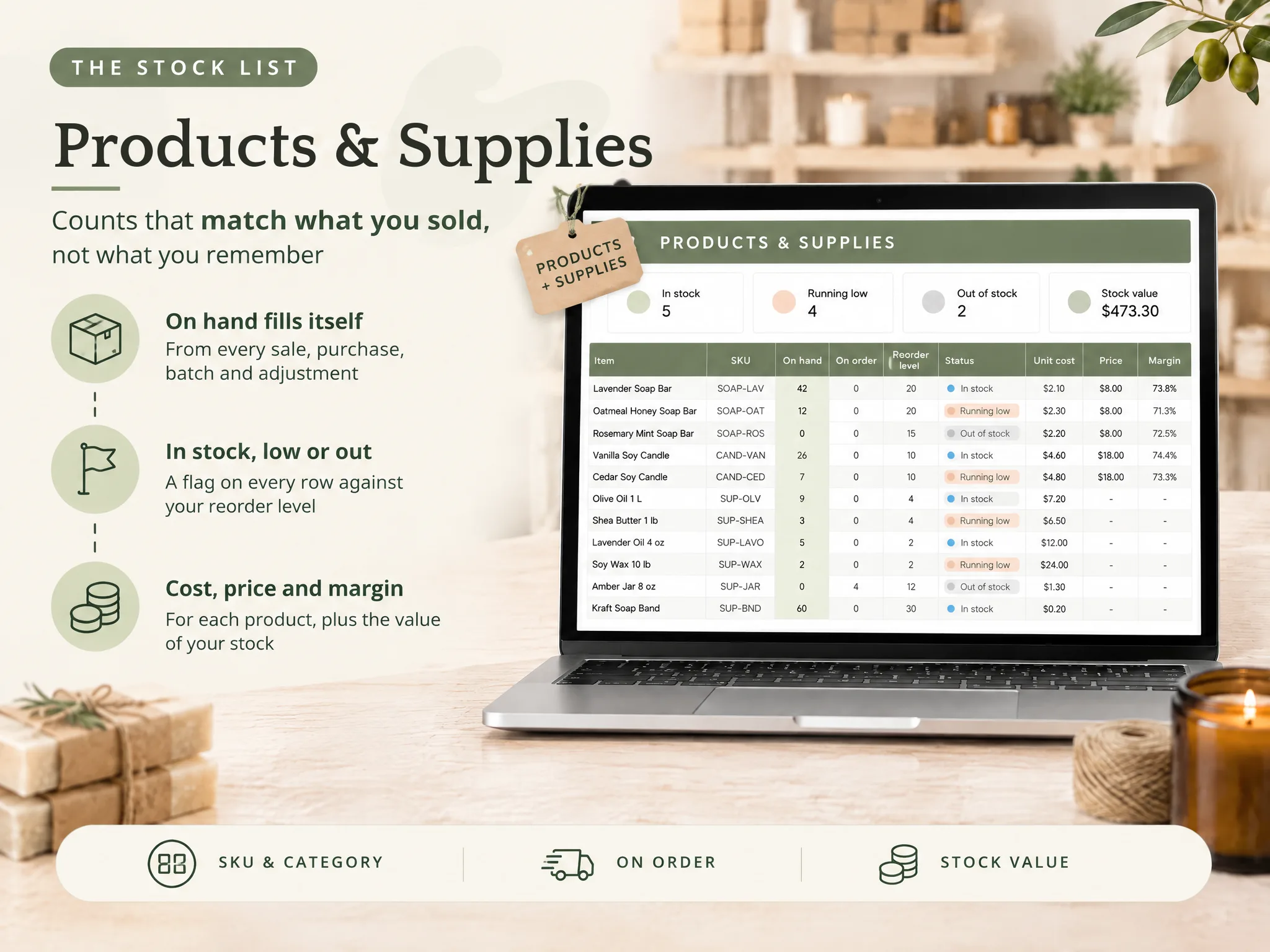
The Ultimate Inventory Tracker (by Cosmo Suite: one Google Sheets and Excel file, 12 tabs, $9 once) keeps products and supplies with the logs that change their counts. Its Recipes and Batches tabs connect materials used to finished pieces made. You can also use stock by place, a reorder list, and printable count pages.
The file does not connect to an online shop or a till, and it does not scan barcodes. You log or paste each sale. Cost and profit fields are for your own tracking, not tax figures. Tax inventory rules depend on the business and its accounting method. Read the IRS guide for small businesses for official guidance. If this setup fits your routine, the ready-made inventory spreadsheet for makers has the tabs linked already.
How the Ultimate Inventory Tracker handles this
The Ultimate Inventory Tracker has a ready-made layout for supplies, finished pieces, sales, purchases, adjustments, transfers, recipes, and batches. Log each entry yourself. The file uses those records to show stock and place totals. The Google Sheets and Excel inventory file includes sample and clean copies.
Use the sample copy to see how a maker's example is laid out, or start from the clean copy. The file does not sync with shops or tills, so you still enter or paste each sale. For occasional counts, a printable page may be enough. For recurring batches, keep the recipe and batch rows up to date. Read the editorial policy for how these guides are checked, or visit About Ultimate Inventory Tracker for site details.
Frequently asked questions
What should a craft inventory spreadsheet track?
Keep separate rows for materials and finished pieces. Record the unit and quantity for each, then log purchases, sales, counts, and batches so you can explain how the stock changed. If you make products, a recipe can show which materials one finished piece uses.
How do I track craft supplies and finished products together?
Use one item list for both kinds of stock, with a type field that marks each row as a supply or finished piece. Keep purchases, sales, adjustments, and batches in their own logs. A batch uses materials and adds finished pieces according to its recipe.
Should I use one spreadsheet row per craft product?
Use one row for each item you count separately. Give a different size, colour, scent, or material its own row when its stock needs a separate count. Use a recipe to describe the supplies for one finished piece.
Can a craft inventory spreadsheet calculate materials used in a batch?
A spreadsheet can do this when each product has a recipe and each batch points to that product and its quantity. The batch record can then reduce the listed supplies and add the finished pieces. Check that the file handles both sides before relying on it.
Can an inventory spreadsheet connect to Etsy or a market till?
The Ultimate Inventory Tracker does not connect to an online shop or a till, and it does not scan barcodes. You log or paste each sale yourself. If you need sales to import automatically, use a tool that offers the connection you need.
When is a simple craft inventory list enough?
A short list can be enough when you make few items and count stock occasionally. Add movement logs when purchases, sales, or batches change quantities between counts. If keeping those entries current becomes a chore, choose a simpler routine or a tool built for your sales channels.
Sources
Keep reading
Makers and Markets
Bill of Materials Template for Excel: Cost One Piece of What You Make
Bill of materials template excel for makers: the eight columns, one candle and one soap bar costed line by line, and a batch that takes supplies off the shelf.
· 12 min read
Makers and Markets
Finished Goods Inventory: Supplies In, Pieces Out (A Maker's Example)
Finished goods inventory means completed pieces ready to sell. Follow one maker's batch from supplies to shelf, with a simple way to record each stage.
· 8 min read
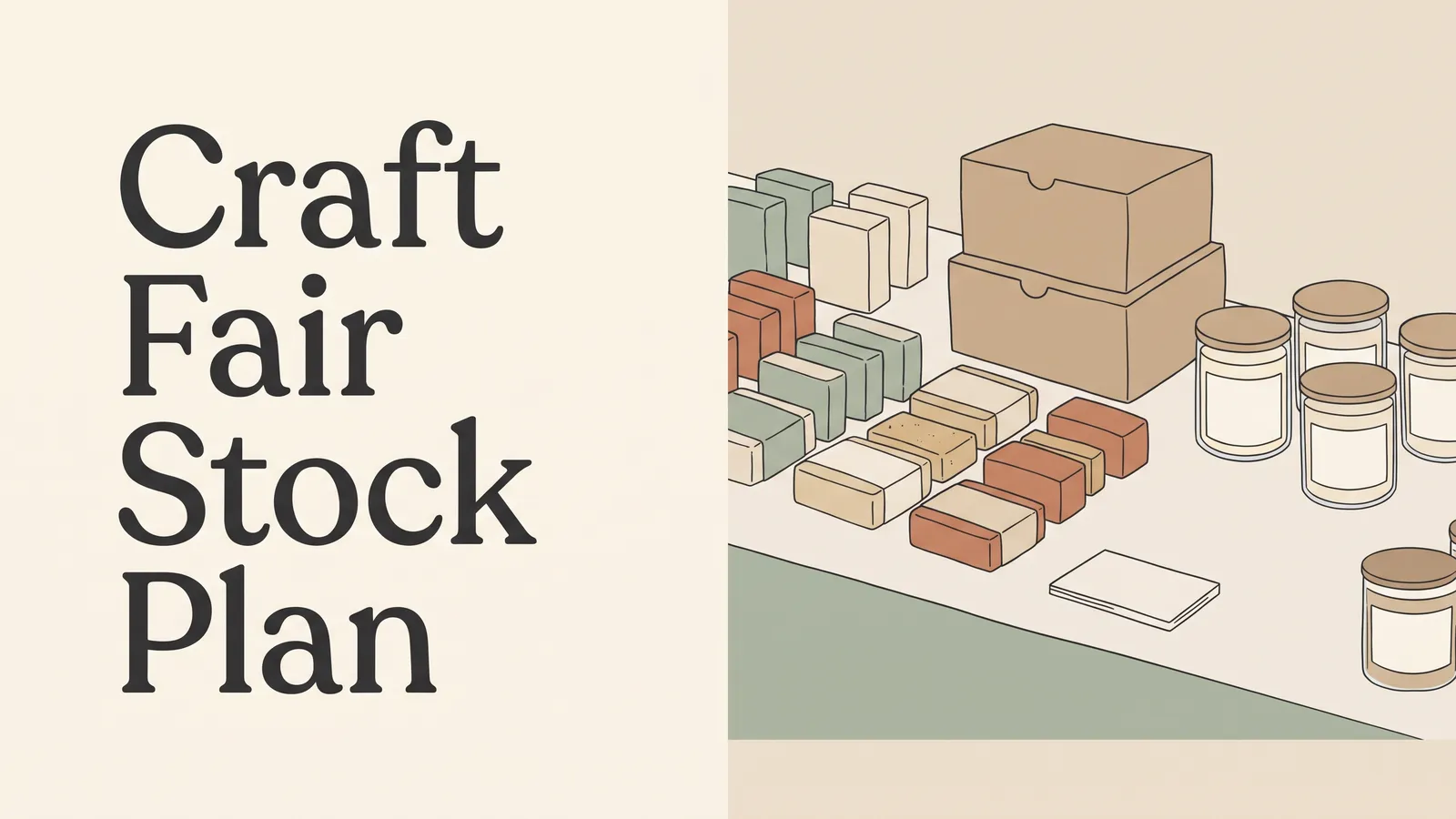
Makers and Markets
How Much Inventory to Bring to a Craft Fair (Use Last Fair's Numbers)
How much inventory to bring to a craft fair depends on past sales, the products that moved, and what you can carry. Plan each item’s count.
· 8 min read
