How Much Inventory to Bring to a Craft Fair (Use Last Fair's Numbers)
How much inventory to bring to a craft fair depends on past sales, the products that moved, and what you can carry. Plan each item’s count.
By Ultimate Inventory Tracker by Cosmo Suite · Editorial policy
Published · 8 min read
For how much inventory to bring to a craft fair, start with sales from a similar event. Split the total by product, then check what you can carry. At your first event, choose a manageable quantity and record what happens.
Work out the count by product. A total of 60 pieces can still be a poor plan. You may pack too many slow movers and run short on the item people ask for. Separate display stock from the boxes underneath.
If you already sell at fairs, a stock spreadsheet for small sellers can hold the brought, sold, and returned counts in one place. This guide shows a practical way to build the next event's list from the previous one.
In Short
- Start with sales from a similar event, when available.
- Split the total by product using your own sales mix.
- Set a carry and display limit for each product.
- Keep reserve pieces separate from the table count.
- Count what comes home and write down what sold out.
Craft fair stock: a simple planning formula
A craft fair stock plan is a product-by-product count for one event. Start with this formula: next fair quantity = expected sales from a comparable event + reserve you can carry and replenish. If you have no comparable event, use a modest first-event quantity you can make and transport. Record it as an estimate, not a forecast.
| Field | What to enter | Why it belongs |
|---|---|---|
| Event | Name, date, and type of fair | Lets you compare similar days later |
| Product | One row for each design or variant | Keeps the mix visible |
| Brought | Units packed for the event | Sets the starting count |
| Sold | Units sold at the event | Shows this event's sell-through |
| Returned | Units physically counted after the fair | Checks the movement |
| Sold out | Time or point when none remained | Signals a possible missed quantity |
| Next quantity | Expected sales plus a chosen reserve | Makes the next packing choice explicit |
Use a reconciliation check too: brought = sold + returned + other recorded changes. “Other” can include a damaged piece, a sample, or a gift. Write the reason beside it. If the totals do not match, check the sale notes and the box before using the result to plan another event.
Sell-through is the share of the quantity brought that you sold. Calculate it per product as units sold divided by units brought. Keep that result with the event record, because a single total hides which products moved.
This formula gives you a starting point from your own event record. Attendance and product mix can still change, so check the event details and your carrying limit before packing.
The fair weekend, worked through
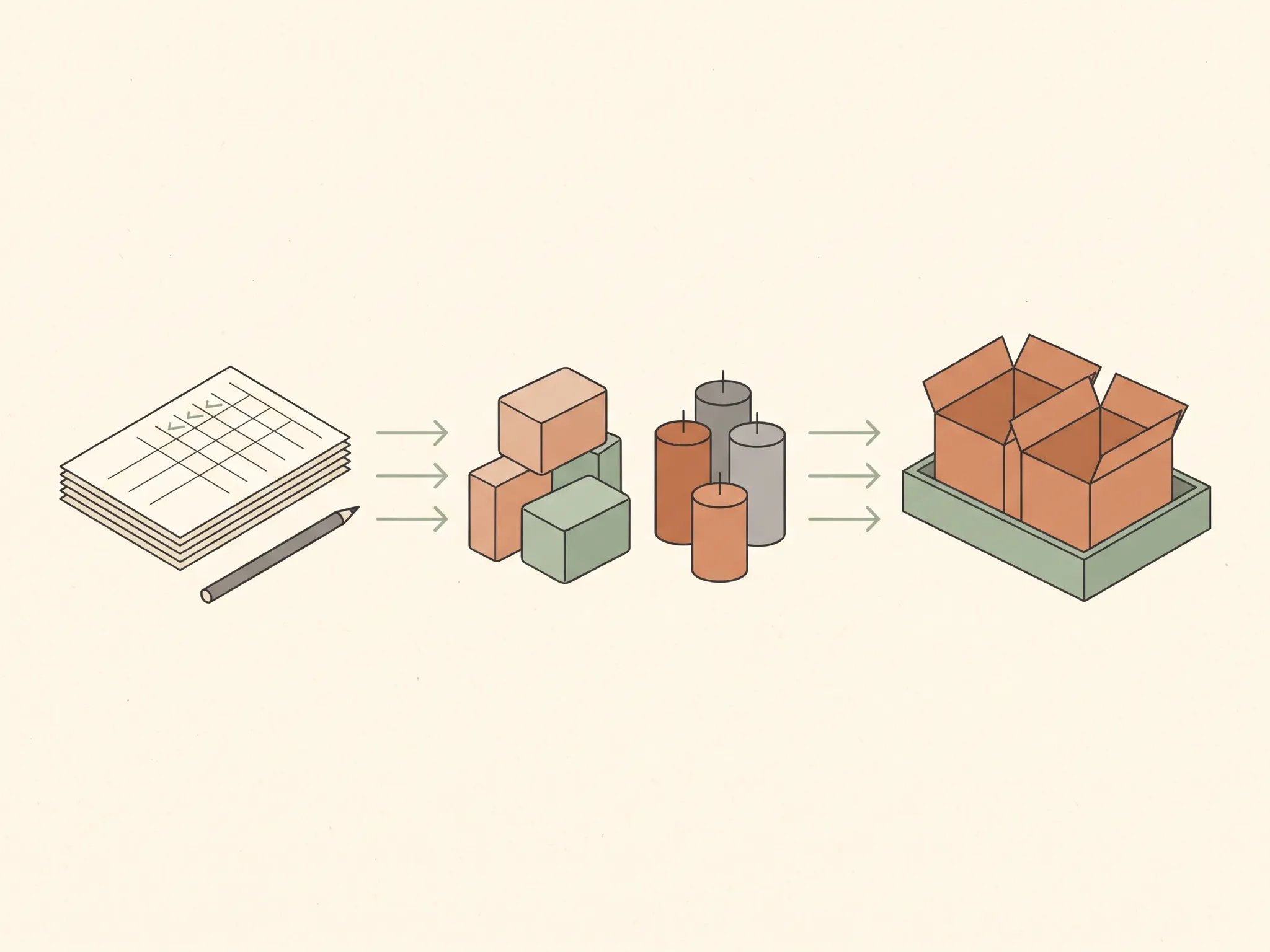
In this worked example, a maker packs 60 pieces for a fair, sells 37, and brings 23 home. The arithmetic balances: 60 packed equals 37 sold plus 23 returned. On Monday, the maker enters the 37 sales in the tally sheet and keeps the 23 remaining pieces in the stock count. These are illustrative figures, not a customer result.
That total helps with the next fair, but it does not answer which designs sold. The maker needs a row for each product or variant. Suppose the 60 pieces were candles, soap bars, and gift sets. A single total of 37 sales hides which group accounted for them, so the tally should split sales by those product rows.
The example does not assign a product mix or demand pattern. Record each product on its own row. If one candle scent sold out while a gift set barely moved, the next packing list can reflect that instead of repeating the same mix.
Before assigning a new quantity, count what is already finished and ready to sell. Then check the supplies and production time required for any additional pieces. A product that looks popular can still be a poor last-minute batch if the ingredients, curing time, or packing materials are not available.
How to choose quantities for each product
The table below gives a decision rule for turning last fair's results into a packing count. It uses the event record first, then adjusts for a clear reason such as a sellout, a different event format, or a practical carrying limit.
| What your record shows | Next fair choice | Check before packing |
|---|---|---|
| A product sold steadily and stock remained | Start near the units sold, then choose a small reserve if useful | Can you carry and store the reserve? |
| A product sold out before closing | Consider a modest increase for a similar event | Could the event or audience differ? |
| Many units came home | Bring fewer, or leave the item off this event's list | Is it seasonal or suited to a different fair? |
| No sales record exists | Pick a small test quantity you can afford to bring back | How will you record each sale? |
| A product is bulky or fragile | Set a firm transport limit | Can it be protected and displayed safely? |
A sold-out item is a clue, not proof that every extra piece would have sold. Record when it ran out and whether shoppers asked for it afterward. If the item sold out close to closing, the next quantity may stay near the old count. If it was gone early and the event was similar, a small increase is easier to explain.
When stock came home, look at the product and the event before cutting the quantity. A slow item may fit a different season or audience. If it takes valuable space and has no clear reason to return, leave it at home and give that space to a product with stronger evidence.
Shopify's craft fair planning guide recommends giving more room to stronger sellers and less to slow movers. Use that as a prompt to check your own sales record, rather than borrowing another seller's product ranking or a universal percentage.
Set a display count and a reserve count
The display count is what goes on the table. The reserve count is what stays packed for restocking. Separate counts show whether the table is ready and how much stock sits in the boxes. They also make it easier to spot more reserve than you can move or manage.
For each product, write three quantities: total available, display quantity, and reserve quantity. The display plus reserve should not exceed the total you have ready. If a product needs careful handling, decide how many pieces can sit out safely and keep the rest protected.
Etsy's craft fair packing advice covers inventory alongside display and event supplies. Its spring show preparation checklist also recommends reviewing leftover stock and using previous event sales when planning. A separate reserve count makes those checks easier to do with your own products.
Some events run for more than one day. If so, count the reserve before each day and record sales at the end of each day. Do not treat stock left in a vehicle or storage area as available until you have checked access and the event's rules.
A packing list you can improve after each fair
Build the list around products, not boxes. One product row can hold the quantity you plan to take, the number for the display, and the reserve count. Add a note when the quantity comes from a past event or a first-fair estimate.
- Choose a comparable event. Compare a one-day indoor fair with another similar day when possible. Note differences in season, length, or event type.
- Count ready stock. Separate finished pieces from supplies you could use for another batch. Do not count materials as sellable products.
- Split by product. Keep sizes, scents, colours, or designs on different rows when you count them separately.
- Set limits. Record the display space, transport capacity, and any product handling needs that constrain the quantity.
- Pack the reserve separately. Label each box or container with its contents so you can find the right item without unpacking everything.
- Record sales and returns. At pack-down, count the pieces that came back and note damage, samples, and sellouts.
- Update the next plan. Keep the event record. Change only the product quantities for which you have a clear reason.
Etsy's before-the-show worksheet suggests reviewing existing stock and materials before producing more, and organizing containers with a list of contents. That is also a useful final check: use what is already ready before you plan another batch.
For a simple printable record, use this inventory count sheet. If you need the underlying item and movement fields first, the inventory spreadsheet guide explains how an item list and sales entries work together.
When this method needs a fresh starting point
Past sales help when the events are reasonably comparable. A new venue, season, event length, or product line can change the mix. Mark that change beside the new plan so you do not treat last year's count as a reliable match without checking it.
If this is your first fair, you have no fair sales to use. Choose quantities that fit the products you can finish, carry, and display. Keep the choice small enough that bringing it home remains manageable. The first fair gives you a record for the next decision.
A count also cannot prevent a product from selling faster than expected. It tells you what you brought, what you sold, and what remains. If you sell at the fair and online at the same time, record each sale yourself. The Ultimate Inventory Tracker has no online shop or till connection and does not scan barcodes.
How the Ultimate Inventory Tracker handles fair stock
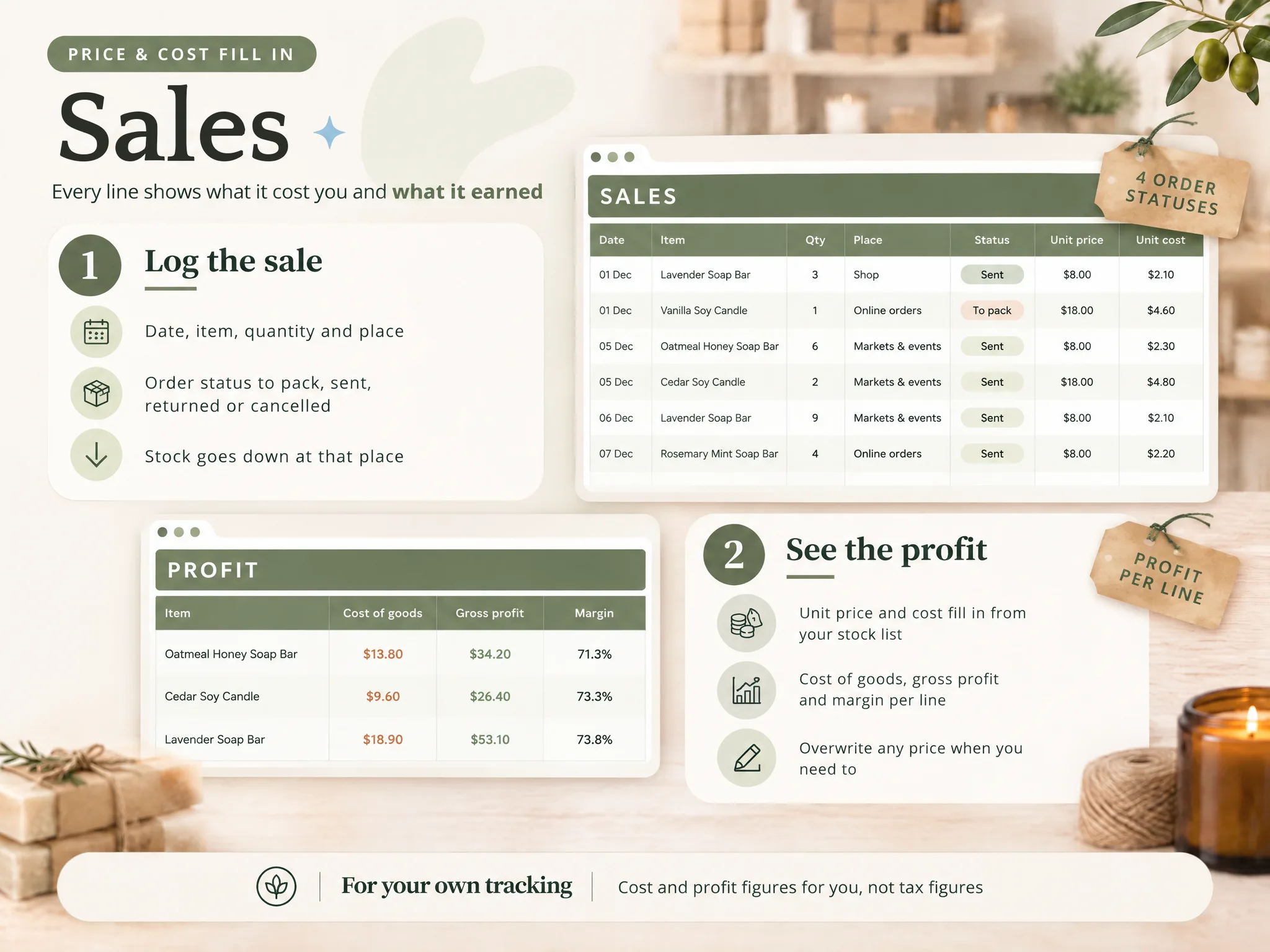
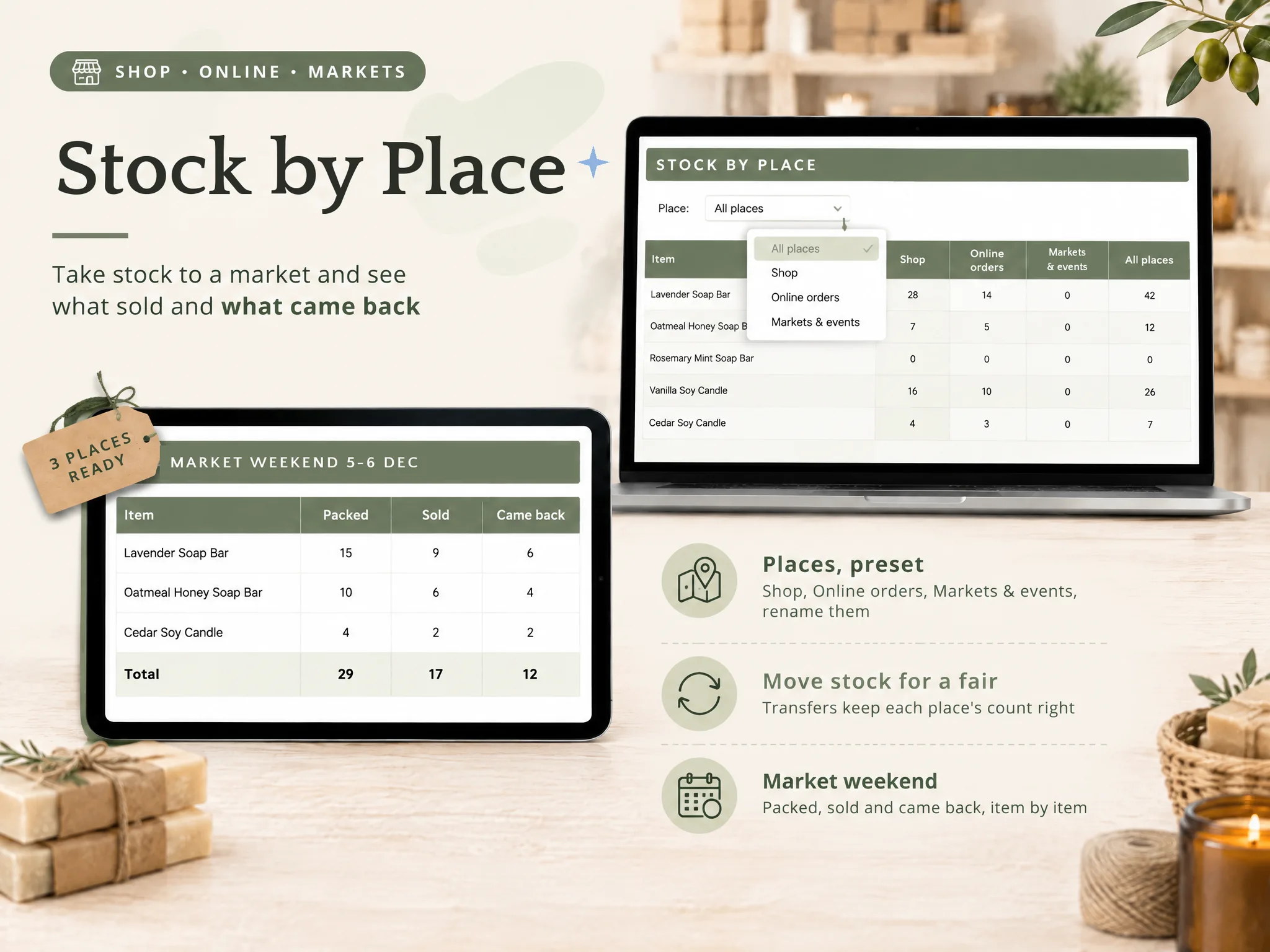
The Ultimate Inventory Tracker (by Cosmo Suite: one Google Sheets and Excel file, 12 tabs, $9 once) has Products, Sales, Transfers, Adjustments, and stock by place. You can log the quantity moved to a market, record each sale, and count what comes back. The file shows the entries you make; you still need to log or paste each sale.
The Google Sheets and Excel inventory file includes a sample copy and a clean copy. Use the sample to see how its rows are arranged, then decide whether the fields fit your fair routine. The file does not connect to an online shop or a till, and it does not scan barcodes. The About page identifies the publisher, and the editorial policy explains how the site checks its content.
If you already have a process that records each event, keep using it. If your counts drift between fairs, a stock tracker can keep item counts and movement entries together. The inventory count sheet can help you record what comes home.
Frequently asked questions
How much inventory should I bring to a craft fair?
Start with sales from a similar event. Split the units by product using the mix that sold before. Add a small reserve only for items you can carry and replenish. At your first fair, record what sells and comes home.
How do I estimate stock for my first craft fair?
Choose a quantity you can make, carry, and display without disrupting regular orders. Pick a few product groups and write down why you chose each amount. Treat the first fair as a baseline. Record units brought, sold, and returned for your next plan.
Should I bring all my products to a craft fair?
Bring products that suit the event, your display, and your transport limit. Slow or bulky items can make packing harder. If the organizer allows it, take a sample or product card for anything you cannot carry. Accept custom orders only when you can fulfill them.
How much extra stock should I bring?
No extra-stock percentage fits every seller. Use past sell-through and note when an item sold out. Add reserve when your record supports it and you can carry it safely. Keep reserve separate from display stock.
What should I record after a craft fair?
Record units brought, sold, and returned. Note any damage, samples, and items that sold out. Check that brought stock minus sold units and other recorded changes equals what came home. Keep the event and date with the record so you can compare it with a similar fair.
Can a spreadsheet track stock at a craft fair and online?
Yes. A spreadsheet can hold the stock and sales entries you make. The Ultimate Inventory Tracker does not connect to an online shop or a till, and it does not scan barcodes. You log or paste each sale, then record what went to the fair and came back.
Sources
Keep reading
Makers and Markets
Bill of Materials Template for Excel: Cost One Piece of What You Make
Bill of materials template excel for makers: the eight columns, one candle and one soap bar costed line by line, and a batch that takes supplies off the shelf.
· 12 min read

Makers and Markets
Finished Goods Inventory: Supplies In, Pieces Out (A Maker's Example)
Finished goods inventory means completed pieces ready to sell. Follow one maker's batch from supplies to shelf, with a simple way to record each stage.
· 8 min read
Makers and Markets
Craft Inventory Spreadsheet: Track Supplies and Finished Pieces Together
Craft inventory spreadsheet: track materials, recipes, batches, and finished pieces in one file. See the rows a maker needs and when a sheet fits.
· 7 min read
